Category: Crypto

  • How Nigerians Abroad Send Money Home with Crypto in 2026: Three Real Stories

    How Nigerians Abroad Send Money Home with Crypto in 2026: Three Real Stories

    The rules changed on 1 May 2026. The Central Bank of Nigeria instructed all International Money Transfer Operators (IMTOs), including Western Union, MoneyGram, Remitly and other licensed operators, to pay out remittances only in naira, at the official rate set by the Bloomberg BMatch rate. 

    The Bloomberg BMatch rate is the foreign exchange (FX) spot rate generated on BMatch, Bloomberg’s electronic trade-matching system. No dollar payouts. No recipient choice. For millions of Nigerians abroad, this was more than a regulatory update. It changed how they support their families back home.

    Nigeria is one of Africa’s largest remittance destinations. Diaspora inflows reached $21.8 billion in 2025, supporting millions of households across the country. For some families, the new rule barely meant anything, because they were already receiving naira. Others felt it immediately. It removed something they valued deeply: the ability to receive and hold dollars before deciding when to convert.

    In the weeks that followed, a familiar conversation began appearing in WhatsApp groups, Facebook communities and diaspora circles stretching from Manchester to Houston and Toronto. People were asking the same question: How are Nigerians abroad sending money home now? They wanted to know how to send money to Nigeria in 2026.

    Many people who had quietly been using crypto remittances for a long time already knew the answer. Not for speculation or trading, but simply as a faster and more flexible way to move value across borders. This article shows the case of three Nigerians abroad who made that transition.

    In short

    Since 1 May 2026, licensed money transfer operators must pay remittances to Nigeria in naira at the official rate. So many Nigerians abroad now send dollar stablecoins instead — USDT on the TRC20 network, or USDC from Canada. Family receives it in the Swapto app, converts it to naira, and gets paid into a Nigerian bank account within minutes.

    Send USDT (TRC20) or USDC Convert in Swapto Naira in your bank in minutes

    First is Chiamaka in Manchester, who sends money to her mother in Onitsha. Then Tunde in Houston, who supports a family business in Lagos. Then Adaeze in Toronto, who funds her brother’s education and a building project in Aba. Their stories and needs are different. Their transfer sizes are very different. Yet all three arrived at the same destination: sending dollar stablecoins from abroad and having family members in Nigeria convert them to naira through the Swapto app. We’ll show you how they do it as you read on.

    Why This Article Exists Now: The May 2026 CBN Policy Change

    The May 2026 directive fundamentally changed how licensed money transfer operators handle remittances into Nigeria. Under the new framework, recipients can no longer collect foreign currency directly from IMTOs. Funds must be settled in naira using the official Bloomberg BMatch exchange rate.

    For many diaspora senders, the issue wasn’t simply exchange rates. It was flexibility. Previously, some families preferred receiving dollars, holding them for a while, and deciding when to convert. That option disappeared through official remittance channels. Diaspora crypto remittances, particularly USDT transfers, became increasingly relevant because they still let recipients receive dollar-pegged value and decide when to convert it into naira. Not much has changed for the family, except that they no longer hold physical dollar notes.

    Importantly, this is not a loophole. Cryptocurrency operates through a separate framework from IMTO remittances, and crypto activity in Nigeria now sits within the country’s evolving regulatory environment under the Investments and Securities Act 2025.

    Chiamaka’s Story: Manchester to Onitsha, £200 Every Month

    The Background

    Chiamaka, who is 34, moved to Manchester in 2019 to pursue a master’s degree. What was supposed to be a temporary move became permanent after she secured employment and built a life in the UK. Back home, her mother remained in Onitsha. Unfailingly, Chiamaka sends about £200 home every month. The money covers groceries, electricity bills, transportation, and the countless everyday expenses that rarely make it into family conversations.

    For years, Western Union handled those transfers. Fees varied between £3 and £8 per transfer, and the exchange rate was 3 to 4% below the real market. As long as the process worked and the money got to the right place, that was enough. She never spent much time calculating the real cost. The money arrived, her mother was happy, and life continued.

    The Shift

    In 2024, a cousin introduced her to Wise. The fees dropped noticeably, to about £1 per transfer, and the exchange rates were more transparent. For a £200 transfer the savings weren’t dramatic: about £6 to £8 a month, or roughly £80 a year. Then came the May 2026 policy change. Chiamaka’s mother had sometimes preferred receiving value she could hold before converting. That flexibility disappeared.

    Curious, Chiamaka spent a Saturday afternoon researching “diaspora crypto remittances Nigeria”. She watched several TikTok and YouTube videos, read articles, and asked questions. Then she decided to give it a try.

    The Workflow

    Today, her new method is remarkably fast and simple. She buys USDT on her preferred exchange, and her mother’s Swapto wallet address is already saved on her phone. She copies the address and sends the USDT on the TRC20 network, where the withdrawal fee is as low as about $1. Within minutes, the funds appear in her mother’s wallet.

    Her mother opens Swapto, taps Sell USDT, and sees the naira amount upfront. After she confirms, the naira goes straight to her bank account. Shortly afterward, Chiamaka receives the same WhatsApp message she always gets after sending money to her mum: “Received my dear, thanks and God bless you.”

    The Math

    Interestingly, Chiamaka discovered that crypto was not dramatically cheaper than Wise for transfers of this size. That surprised her.

    The real benefit was elsewhere: speed, flexibility, control. Her mother could receive value within minutes and choose when to convert it. For Chiamaka, that autonomy mattered more than a few extra pounds saved each year.

    What Chiamaka Learned

    In Chiamaka’s words: “My mother is not a tech person. She’s a retired teacher. I assumed crypto would be too complicated. It turned out the difficult part wasn’t the technology. It was simply deciding to try something new.”

    Want to set this up for your family? Forward the Swapto app link to them and let them create a wallet before your first test transfer.

    Tunde’s Story: Houston to Lagos, Running a Family Business from 8,000 Kilometres Away

    The Background

    Tunde, whose parents are in Lagos, moved to Houston in 2014 for an oil and gas role. His younger sister manages the family’s logistics business. Some months the business needs nothing. Other months it needs urgent cash for repairs, diesel, maintenance or unexpected expenses. Tunde’s transfers typically range from $1,000 to $3,000.

    At first, he relied on a mix of wire transfers and Remitly. Wire transfers cost up to $35 each and took 3 to 5 business days. Remitly Express took minutes but ate 2.5 to 3.7% in FX markup. Both worked. Neither felt efficient.

    The Shift

    When Nigeria reopened banking relationships with crypto-related businesses in late 2023, Tunde began paying attention. Not because he was interested in trading crypto, but because he was interested in anything that made his payments more efficient. He started with a small test transfer of just $200.

    He didn’t do anything strange or spectacular, and the funds arrived successfully. He doubted the system at first, so he tried again, and got the same result. Within months, crypto became his default method, especially for larger amounts. By May 2026, he had not used a wire transfer in 18 months, so the CBN’s naira-only rule didn’t touch him. He was already on a payout route that still gave him and his family a choice.

    The Workflow

    Every Sunday evening, he follows the same routine. He buys USDT on Kraken, one of the US exchanges that lets you withdraw USDT on the TRC20 network, and sends it for a withdrawal fee of a dollar or two. His sister receives it in her Swapto wallet and converts it to naira. The funds land in the family business account, and the whole cycle often finishes before bedtime in Houston. Mechanics, suppliers and drivers in Lagos get paid the same day. It is a completely different system from the way he used to send money.

    The Math at His Scale

    On a typical month sending $2,000, Tunde compares routes mentally:

    • Wire transfer: $35 wire fee plus roughly 3% FX markup at the receiving Nigerian bank. Total cost: about $95, and it takes 3 to 5 days.
    • Remitly Express: $3.99 fee plus 2.5 to 3.7% FX markup. Total cost: about $54 to $78, delivered within minutes.
    • Crypto route: about $5 in Kraken trading fees, about $2 to withdraw on TRC20, and a 1% Swapto spread ($20). Total cost: about $27, done in minutes.

    Compared with the mix of wires and Remitly he used before, Tunde saves about $600 a year at $2,000 a month. That’s money that would otherwise have gone into wire fees and FX margins. If $600 sounds like a small loss, think about this: over the eight years he expects to keep supporting the business, it adds up to roughly $5,000. That’s a new set of tyres for one of the business’s trucks, or half a year of his daughter’s school fees in Houston.

    What Tunde Learned

    “The wire transfer wasn’t expensive per transfer. It was expensive cumulatively. The crypto route saves me about $600 a year at this volume. At $5,000 a month, the same maths saves roughly $1,400 a year. At $10,000 a month, it’s about $2,600.” The larger the transfer volume, the more attention the fees and exchange-rate margins deserve.

    Adaeze’s Story: Toronto to Aba, Sending Bigger Money with Higher Stakes

    The Background

    Adaeze, a healthcare administrator, has been in Toronto since 2016. She supports her younger brother Chinedu’s education. She also bought land in Aba and began building a modest retirement property. Unlike Chiamaka’s monthly support transfers, Adaeze often needs to send several thousand dollars at a time. She sends $3,000 to $5,000 home every quarter for the construction, plus about $800 a month for Chinedu’s expenses.

    Larger amounts amplify everything. The fees that felt manageable on $300 transfers become punishing at $5,000. Her old method, a bank wire from RBC to her contractor’s GTBank account, cost $45 per wire and took up to 7 business days. The exchange rate at the Nigerian end was usually 3.5% below market. On a $5,000 transfer, she was losing about $220 to fees and FX. Imagine what that looks like when you’re sending four times a year, plus monthly amounts.

    The Shift

    She first used Wise for smaller payments, and it worked well. But the larger project transfers still went through traditional banking channels. The fees felt painful, and the waiting felt worse. In early 2025, her contractor’s son, a 26-year-old in Aba, suggested she try sending stablecoins. He was already a Swapto user from his freelance work. He agreed to receive payments on her behalf and pass the naira to his father. They tested with $500. The naira arrived in 19 minutes. Adaeze wept for joy.

    The Workflow at Larger Amounts

    Canadian exchanges no longer list USDT, so Adaeze uses its closest cousin, USDC, another dollar stablecoin. She buys $5,000 of USDC on Newton, a registered Canadian platform, paying about 1% ($50) in fees. She sends it to her contractor’s son’s Swapto wallet on a network Swapto supports. He sells it for naira in the Swapto app, the naira lands in his Nigerian bank account, and he transfers it to his father in less than 10 minutes. Construction payments that once took a week can now be completed the same day.

    The Math at Her Scale

    For a $5,000 construction payment, the crypto route costs her about $100: $50 in Newton fees, a network fee of about $1 on a low-fee network, and a 1% Swapto spread of about $50. The wire transfer used to cost her about $220: a $45 wire fee plus $175 lost to the 3.5% FX gap. That’s a saving of about $120 per transfer.

    Across four construction payments a year, that’s about $480. Add the $800 she sends each month for Chinedu, compared with wiring it, and the crypto route saves Adaeze roughly $1,100 a year in fees and FX markups. On top of that come the time saved (minutes instead of days) and the certainty that the funds arrived, without calling her bank. Adaeze has not sent a wire transfer in 14 months.

    What Adaeze Learned

    In Adaeze’s words: “The bigger the amount, the more fees matter. Small fees become large fees when you’re sending thousands of dollars repeatedly.”

    Sending larger amounts changes the maths significantly. Instead of rushing to make the payment, slow down and calculate the full cost of each remittance route before deciding which one works best for your situation.

    NB: The fees and rates in these stories are approximate and change often. Check each provider’s current pricing before you send, and see today’s USDT to naira rate on Swapto or a tracker like Monierate.

    The Common Thread Across All Three Stories

    ChiamakaTundeAdaeze
    RouteManchester to OnitshaHouston to LagosToronto to Aba
    Typical transfer£200 a month$2,000 a month$5,000 a quarter
    Old cost per transferAbout the same as crypto (Wise)About $95 (wire) or $54 to $78 (Remitly Express)About $220 (wire)
    Crypto route costSmall fees, much fasterAbout $27About $100
    What they gainedFlexibility for her motherAbout $600 a yearAbout $1,100 a year

    Although their circumstances differ, all three stories share several important patterns:

    • They send dollar stablecoins rather than volatile cryptocurrencies like BTC or ETH: USDT from the UK and US, and USDC from Canada, where registered exchanges no longer list USDT.
    • Chiamaka and Tunde send USDT on the TRC20 network because of its low transfer costs.
    • Their recipients convert the funds to naira using Swapto, a Nigerian off-ramp that operates within Nigeria’s regulatory framework through a licensed partner, with naira paid to the recipient’s bank in minutes.
    • They all started with small test transfers ($500 or less) before sending larger amounts.
    • The recipient’s experience mattered just as much as the sender’s. None of these stories would work if the Nigerian recipient couldn’t figure out the app. In all three cases, the recipient found Swapto easy to use.

    Most importantly, none of them switched because they were crypto enthusiasts. They switched because a problem needed solving: a delayed transfer, an expensive fee, a frustrating process or a regulatory change.

    How to Set This Up for Your Own Family

    If you’re new to this and want to send USDT to Nigeria from the UK, USA or Canada, here’s a careful step-by-step guide.

    For the Sender Abroad

    1. Create an account with a reputable exchange in your country that lets you withdraw on the network you need.
    • UK: Revolut or Kraken. Both let you withdraw USDT on the Tron (TRC20) network.
    • US: Kraken, which supports USDT withdrawals on TRC20.
    • Canada: a registered platform such as Newton. Canadian exchanges only list USDC, so you’ll send USDC instead of USDT.
    1. Complete identity verification on the exchange. This usually takes a few minutes.
    2. Buy a small amount for your first test ($50 to $100). If you’re sending USDT, choose the TRC20 network: withdrawal fees are around $1 to $2.50 at most exchanges, whatever the amount. If you’re sending USDC, choose a network Swapto supports.
    3. Ask your recipient for their Swapto wallet address and send the small test amount first.
    4. Confirm receipt before sending larger transfers.

    For the Recipient in Nigeria

    1. Download Swapto from the App Store or Google Play. Setup takes about 3 minutes.
    2. Create an account and verify it with your BVN.
    3. Tap “Receive”, choose USDT on TRC20 (or the USDC network your sender is using), and copy your wallet address. Send it to your family member on WhatsApp.
    4. Once the crypto arrives in your Swapto wallet (usually 2 to 5 minutes after it’s sent), tap Sell. The naira amount is shown upfront.
    5. Confirm. Naira arrives in your Nigerian bank account in 5 to 10 minutes.

    Your family doesn’t need to become crypto experts. They simply need Swapto installed and ready before the first transfer arrives. If you’re not in the diaspora yourself but have friends abroad, share this with them so their families can get set up too.

    What About the Risks?

    Volatility

    USDT and USDC are pegged to the US dollar. For remittances, most users choose a stablecoin because it is designed to stay close to the value of the dollar. That avoids the price swings of cryptocurrencies like Bitcoin or Ethereum. See the full USDT to naira fee maths.

    Scams

    Mistakes usually happen when wallet addresses are entered incorrectly, or when people deal with unverified third parties, especially on P2P platforms. Always check addresses carefully and send a small test transfer before larger amounts. Before your first transfer, read how to avoid crypto scams in Nigeria.

    Legality

    It is legal to send crypto to Nigeria. Digital assets are legally recognised in Nigeria under the Investments and Securities Act 2025. The CBN reversed its 2021 banking ban in December 2023, and licensed Virtual Asset Service Providers operate within the SEC’s regulatory framework. The crypto remittance route is legal.

    Tax

    Genuine gifts, including money sent by family abroad, are exempt from income tax and capital gains tax under the Nigeria Tax Act 2025. However, if the recipient earns from the crypto itself, such as trading gains, that income is taxable. Anyone with taxable income needs a Tax ID, and for individuals, the NIN now serves as the Tax ID. Tax obligations vary with individual circumstances, so recipients should seek professional advice for large or recurring transfers.

    Frequently Asked Questions

    Is it legal for Nigerians abroad to send money home using cryptocurrency?

    Yes. Digital assets are legally recognised in Nigeria under the Investments and Securities Act 2025. The CBN reversed its 2021 crypto banking ban in December 2023, and licensed Virtual Asset Service Providers operate within the SEC’s regulatory framework. The May 2026 remittance directive applies to licensed IMTOs, not cryptocurrency transfers. Crypto operates through a separate framework and remains accessible to eligible users.

    What is the cheapest way for a Nigerian abroad to send money home?

    It depends on the transfer size. For small amounts, around a few hundred pounds or dollars, Wise can cost about the same as crypto, as Chiamaka found. From around $1,000 upward, the crypto route (buying a stablecoin abroad and converting it to naira on a Nigerian off-ramp like Swapto) pulls ahead. On a $2,000 transfer, it costs about $27, compared with about $95 by wire and $54 to $78 through Remitly Express. The savings grow with the amount.

    How long does a crypto remittance to Nigeria take?

    From the sender pressing “send” to naira arriving in a Nigerian bank account usually takes under 30 minutes. Buying USDT on an exchange like Kraken or Revolut takes minutes. The USDT transfer on the TRC20 network arrives in 2 to 5 minutes. Selling for naira on Swapto and the bank payout add another 5 to 15 minutes. That’s much faster than wire transfers, which take 3 to 7 days.

    My family members are not tech-savvy. Can they still use Swapto?

    Yes. The Swapto app is built for first-time crypto users, not traders. Generating a wallet address takes one tap. Swapto also offers free WhatsApp support at +234 811 337 2579, 9am to 9pm WAT, every day, to walk new users through their first receive-and-cash-out.

    What happens if I send crypto to the wrong wallet address?

    Blockchain transactions are generally irreversible. Always double-check the wallet address and the network, and send a small test amount first.

    Did the May 2026 CBN policy affect my family’s ability to receive crypto?

    No. The policy covers licensed money transfer operators and how they pay out. It does not govern crypto remittances, and it does not stop Nigerian families from receiving crypto.

    Will my family in Nigeria be taxed on the money I send them via crypto?

    Genuine gifts from a relative abroad are exempt from income tax and capital gains tax under the Nigeria Tax Act 2025. Simply receiving and converting family support is not taxed. Any income earned on the crypto itself, such as trading gains, is taxable, and anyone with taxable income needs a Tax ID (for individuals, the NIN). Recipients should speak to a tax adviser about large or business-sized transfers.

    Crypto remittance or Western Union: which is better for Nigeria?

    Crypto remittance is often faster and can cost less, especially on larger amounts, and recipients in Nigeria can receive funds within minutes. Western Union remains a trusted option for cash pickup and bank transfers, but it may involve higher fees and longer processing times depending on the method and location.

    The Quiet Revolution

    The shift toward crypto remittances did not begin in May 2026. The policy change simply accelerated a trend that was already underway. Chiamaka wanted flexibility. Tunde wanted efficiency. Adaeze wanted lower costs on larger transfers. Different motivations, different cities, different family situations. Yet all three arrived at the same conclusion. Technology was not the obstacle. The obstacle was deciding to try a different way of sending money home.

    For many Nigerians abroad, that decision gets easier with every successful transfer, every satisfied family member, and every WhatsApp message that simply says “Received. Thank you.” When you’re ready, start with the first step: download the Swapto app and send the link to your family.
  • How to Receive Crypto from a Foreign Client in Nigeria (2026): The Complete Workflow

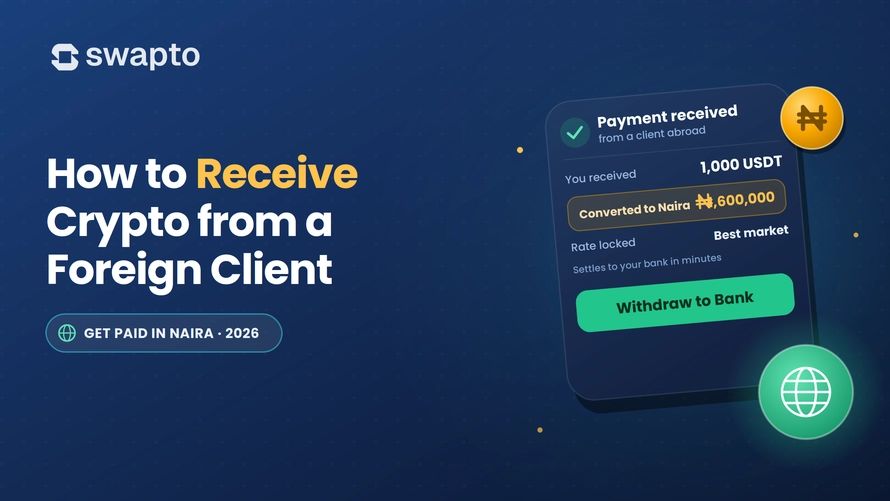
    How to Receive Crypto from a Foreign Client in Nigeria (2026): The Complete Workflow

    Last Tuesday, Tomi, a frontend developer in Lagos got the message every Nigerian freelancer hopes to see, his US client wrote “Share your USDT wallet address and the network. I’ll send the first 50% today.” To Tomi, that was a real client. The project was real, and the money was real.

    The problem now is that Tomi had never actually received crypto from a foreign client before, although he had heard of USDT. He even had an old Binance account from 2021 which became dormant due to lack of consistent activity on it.

    At that point, Tomi had myriads of questions running through his head. What address was he supposed to send? What exactly did “network” mean? What happens after the crypto arrives? How does he turn it into naira without getting scammed or losing money on bad exchange rates? 

    That is exactly why people search phrases like “how to receive crypto from foreign clients”, “verify crypto payment transaction hash”, etc. They are not looking for theory; they want to solve a situation practically. Beginners must understand that the world is changing at a very fast pace. It’s either you evolve with these changes or you get left behind and lose relevance without you knowing.

    This article is for Tomi, everyone who is in a similar situation, and those who want to know how to get paid in USDT from foreign clients.

    At the end of this guide, you’ll know exactly which wallet to use, which network to specify, what payment details to send your client, how to confirm the payment, how to receive USDT in Nigeria in 2026 and how to turn the crypto into naira in your Nigerian bank account. Once everything is set up, the entire process usually takes under 30 minutes. The first payment might feel intimidating, but you’ll do the third or fourth one without thinking too much. 

    As you proceed reading this article, download Swapto immediately to follow the instructions in this guide.

    Is It Legal to Receive Crypto from a Foreign Client in Nigeria?

    Yes. With the passage of the Investment and Securities Act (ISA) 2025, cryptocurrency has been legally recognized in Nigeria. The law brings digital assets and crypto-related service providers into SEC regulation. Licensed Virtual Asset Service Providers (VASPs) also operate within this framework. 

    Step 1: Choose Your Receiving Wallet

    This is the first decision to make by anyone who wants to know how to get paid in USDT from foreign clients. The crypto enters into your wallet before you either hold or change to naira. If you’re wondering which crypto wallet for foreign payment Nigeria users should choose, it’s important to consider factors like security, supported cryptocurrencies, transaction speed, etc. 

    There are three types of wallets that are used by most freelancers in Nigeria.

    Option A: Non-Custodial Wallets (Trust Wallet, MetaMask, Phantom)

    These are wallets which are completely managed by you. It is you that get to hold your private keys, not the company. Examples of these wallets are Trust Wallet, MetaMask, and Phantom.

    Advantages

    • You fully control your funds.
    • No one is able to freeze your wallet remotely.
    • Works across many coins and blockchain networks.
    • This category has better long-term flexibility.

    Downsides

    • If you lose your seed phrase, the money may be unrecoverable.
    • There is no reliable customer support.
    • It has a slightly steeper learning curve for beginners.

    Best For: It is best for Developers, designers, crypto-native freelancers, and users who are getting large payments and who want maximum control. For many Nigerian freelancers, this becomes the preferred long-term setup.

    Option B: Exchange Wallets (Binance, Bybit, KuCoin)

    This is the wallet that is already integrated into a crypto exchange account. Binance, KuCoin, Bybit are examples of such exchanges.

    Advantages

    • It is easy for someone already using the exchange.
    • It offers simple coin swapping.
    • It can be helpful for traders who are active.

    Downsides

    • The wallet is under the control of the exchange.
    • Access may be temporarily locked due to KYC review or restrictions.
    • Withdrawal functionality may be impacted by regulatory actions.

    This was something that many Nigerians were taught during the days of disruptions by Binance’s NGN-related disruptions.

    Best For: Individuals who are already active crypto traders.

    Option C: Nigerian Cash-Out App Wallets

    These are applications that are designed and built primarily for receiving crypto and automatically converting directly to naira. They are also known as OTC (Over-the-Counter) platforms. Here, the platform is the buyer. You send your crypto, the platform converts it, and the Naira lands in your bank automatically. An example of this is Swapto.

    Swapto - send your crypto

    Advantages

    • They have an extremely simple workflow.
    • They are built specifically for Nigerian bank withdrawals.
    • The OTC platforms are popular for a faster naira conversion experience.
    • It is useful for freelancers who do not want to hold crypto long-term.

    Downsides

    • It has a custodial setup.
    • It is not good for a long-term storage

    Best For: Freelancers who want naira in their bank account as soon as possible.

    Download Swapto on iOS or Android. Cash out your first trade in under 10 minutes. Support available on WhatsApp at +234 811 337 2579.

    Download Swapto

    The Practical Setup Most Freelancers End Up Using

    Take an instance where you want to get USDT as a Nigerian freelancer and convert the USDT to naira instantly. This is what the cleanest workflow looks like:

    1. Receive USDT in Trust Wallet (where you own the keys and can hold or convert any time), then verify the payment safely.
    2. Send the USDT to Swapto when ready to cash out.
    3. On Swapto, sell your USDT and get your naira in your local bank.

    That setup combines the security of self-custody with the speed of a professional naira off-ramp. If you want a single-app workflow, the Swapto wallet works as both your receiving address and your instant naira cash-out, with customer crypto held by a third-party digital asset custodian and 24/7 phone support on +234-811-3372-579.

    Step 2: Decide Which Crypto and Which Network

    This is where most beginners get confused, but we’ll break it down for you. To send you crypto, your client needs two things; the crypto and the network

    Which Crypto Should You Ask For?

    The first option is to request for USDT. USDT has remained a default recommendation. For several reasons, tether has remained the standard choice for Nigerian freelancers. This is because:

    • The USDT has a Stable value. 1 USDT is pegged roughly to $1 (making a 1:1 ratio)
    • The USDT is greatly recognized globally as the market’s stable coin.
    • It is supported almost on all platforms

    So if your client says he’ll send you $500 USDT, you’ll immediately know that the value should remain close to $500 during the transfer. That stability matters a lot, you’ll see why USDT is recommended (instead of other popular coins) in this article as you read further.

    The second option is to request for USDC. USDC is also good and similar to USDT. Some users prefer it for its transparency. Although in Nigeria:

    • USDT generally has better liquidity
    • USDT is supported by more OTC platforms
    • USDT has more widespread usage

    NB: Avoid BTC and ETH for Normal Freelancer Payments because Receiving payment in Bitcoin and Ethereum can cause volatility risk. Bitcoin can swing 5–10% between the time the client sends you money and the time you cash out. That swing can eat-up your project’s profit.

    A client may send $500 worth of BTC and by the time you cash out, the value could have shifted noticeably. That difference means a lot when rent, internet bills, or project expenses depend on that particular income. Stablecoins reduce that frustration and that is why it is strongly advised to use USDT.

    Which Network Should You Specify?

    It is very important to pay close attention here. Sending crypto on the wrong network can cause you to permanently lose funds. Here is the practical breakdown:

    NetworkTypical FeeSpeedBest Use
    TRC20 (Tron)$1About 5 minsDefault Nigerian freelancer option
    BEP20 (BSC)$0.10–0.50Up to 5 minsBinance-heavy users
    SolanaUnder $0.01Few minutesWeb3-native clients
    ERC20 (Ethereum)$1–$10+10–15 minsLarge payments
    PolygonUnder $0.10About 5 minsGrowing Web3 usage

    USDT TRC20 vs ERC20 for freelancers- TRC20 offers lower fees and faster transfers, while ERC20 provides a larger compatibility but usually comes with higher costs.

    We recommend that Nigerian freelancers should ask for USDT on TRC20. TRC20 is currently the safest option due to its low fees, speed, compatibility, and reliability

    Step 3 — Send the Wallet Address to Your Client

    This is the exact point where many freelancers panic. In case you’re confused on what content to send to your client regarding details of your wallet address or how exactly to draft it out, we’ve got you covered. Below is a simple but professional guide to use as a template. No need to complicate it.

    Subject: Payment Details

    Hi [Client Name],

    Here are my payment details for the project:

    • Currency: USDT (Tether)
    • Network: TRC20 (Tron)
    • Wallet Address: [PASTE YOUR ADDRESS HERE]

    Important: Please confirm that the network is TRC20 before sending. Sending USDT on a different network (like ERC20 OR BEP20) will not reach my wallet and may result in permanent loss of funds.

    Once sent, please share the transaction hash so I can track and verify the payment. Confirmations usually take 2-5 minutes.

    Thank you,

    [Your Name]

    Three important rules to note with the template above:

    • Always specify the network clearly. Don’t assume that your client knows it.
    • Always include the wrong-network warning. This will help your clients to know the difference between the right and wrong network.
    • Always request the transaction hash. This is how you verify the payment is real before you do any work.

    A good part of a beginner’s crypto transfer problems come from missing a single detail. Don’t give that chance.

    Step 4 — Verify the Payment When It Arrives

    Do not rely only on screenshots. There are digital apps that can manipulate a screenshot without causing any suspicion, this is to tell you that a screenshot cannot be completely trusted. A blockchain transaction hash is the proof that matters to you. There are three ways to safely verify payment:

    1. Check Your Wallet

    This is the quickest way to know your client has made payment. You do this by opening your wallet app and check your transaction history to confirm if the agreed amount has dropped in your account. For TRC20 payments, the USDT usually appears within a few minutes.

    2. Verify Using Blockchain Explorers

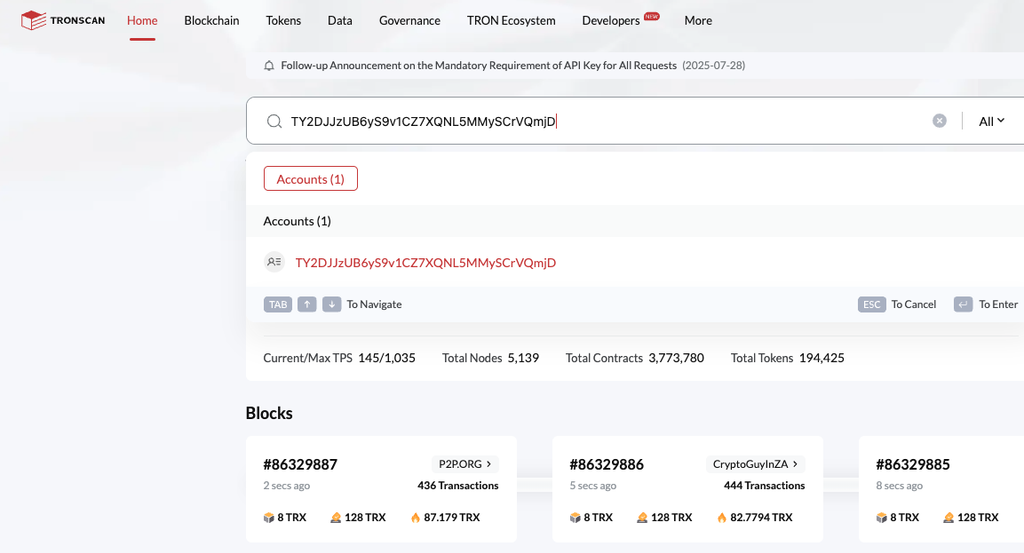
    To verify using blockchain explorers, paste the transaction hash into tronscan (for TRC20), bscscan (for BEP20), or etherscan (for ERC20). You’ll see if the transaction succeeded, the exact amount sent, and whether it landed at the right address or not.

    Tronscan showing a successful TRC20 USDT transfer

    3. Wait for Confirmation

    Do not rush to deliver work before confirmation. Don’t allow your client or anyone to pressure you to do this. Most networks take a few minutes to confirm.

    Important Anti-Scam Rule to note

    Always verify on the blockchain explorer using the transaction hash, not on a screenshot. The client may send a screenshot of a ‘transaction’ that never actually happened. If a client can’t or won’t share the transaction hash after sending, treat that as a red flag. A sender who truly made payment will always have a transaction hash.

    Step 5: Convert the Crypto to Naira

    I. If You Received USDT in Trust Wallet

    Trust Wallet can be used for freelancer payments in Nigeria. If the sender transfers USDT to your Trust Wallet instead of directly to Swapto, you can still cash out easily by moving the funds to your Swapto wallet and converting them to naira. Follow these steps:

    Open Swapto → ‘Receive’ → choose TRC20 → copy the address. Open Trust Wallet → Send USDT → paste the Swapto address → send. Confirms in 2–5 minutes.

    Once the USDT reflects in your Swapto account, you can proceed to convert it to naira instantly.

    II. If you received USDT directly on Swapto

    The process here is simpler, faster, and more transparent:

    • Open the Swapto app and log in to your account.
    • Tap “Sell USDT“ on the Swapto app. The current naira rate is shown upfront
    • Enter or select the amount of USDT you want to convert.
    • Review the exchange rate and naira amount displayed upfront.
    • Confirm the transaction.

    Your naira balance will be credited immediately after the trade is completed. Withdraw the funds directly to your Nigerian bank account (GTBank, Opay, Palmpay, Access Bank, UBA, First Bank, Zenith Bank, and others popular Nigerian banks are all supported).

    In most cases, the entire process, from receiving USDT to getting naira in your bank account can be completed within 5-10 minutes, making Swapto one of the fastest and most convenient ways to convert crypto to cash in Nigeria.

    The major advantage of OTC conversion (involving Swapto) is the simplicity involved, absence of buyer negotiation, absence of P2P disputes, absence of scam and the absence of anxiety that your bank account might be frozen.

    The Math: What You Actually Take Home and Why Freelancers Keep Switching to Crypto Payments

    Let’s use a realistic example, say $500 Client Payment

    StepResult
    Client sends $500 USDTNetwork fee: $1
    Amount of USDT that arrives in your Swapto wallet$499 equivalent
    Sell USDT on Swapto at 1% OTC spread$499 × ₦1,363 (current rate) = ₦680,137
    Swapto 0.5% Cashback+₦3,400
    Withdraw to your local bankUsually free (except for local charges)
    Total amount received₦683,537
    Total timeLess than 20 minutes after confirmation

    With Swapto, your Final outcome is close to ₦685k depending on rates. But the same $500 routed through Payoneer would arrive as approximately ₦460k after Fiverr or Upwork fees plus Payoneer’s 4.5% chain plus 2–5 days of waiting. The direct crypto route returns about ₦223,000 more on a $500 payment, in 30 minutes instead of 5 days.

    Over 12 months of $500-per-month direct payments, that’s over ₦2million in retained earnings . As a freelancer, you must know how to navigate your ways by learning how to convert upwork USDT to Naira, how to avoid crypto scams, as well as know how to take Fiverr clients off-platform safely. 

    Please Note: The rates used at ~₦1,331./$ mid-market as of September 17 . For better insights on the peculiarity of each platform, endeavour to check their respective website and social media pages.

    Common First-Time Mistakes to Avoid

    • Sharing the wrong network address: When your client tells you to send your USDT address and you send a TRC20 address but they use ERC20 instead, the money goes void. Always specify your network as boldly as possible.
    • Sample transaction: This importantly reduces the chance of you or your client making a mistake in the payment process. For your first time with a new client, ask them to send a small amount ($10 or $20) as a ‘test’ before the full payment. This helps you both to learn the workflow safely.
    • Trusting screenshots: Just as emphasized above, a client showing you an ordinary screenshot of a transaction is not proof. Always check the transaction hash on a blockchain explorer before proceeding to deliver your work.
    • Cashing out P2P with strangers: Most P2P transactions carry real counterparty risks (such as fake payment alerts, EFCC account freezes, etc) in Nigeria. OTC platforms like Swapto remove this risk. Stay away from this method so you don’t fall victim.
    • Not keeping records. The Nigeria Tax Act 2025 requires income reporting. Keep a simple spreadsheet of every client payment: date, client name, amount in USD, amount in naira, transaction hash. For easy tax payment.

    What to Do If Something Goes Wrong?

    The Payment Hasn’t Arrived After One Hour

    Most crypto transactions are completed within a few minutes. The first step is to verify whether the transaction was successfully sent and confirmed on the blockchain. Ask the sender for the transaction hash (TXID) or transaction ID. This unique reference allows you to track the status of the transfer in real time.

    Depending on the network used, you can verify the transaction on the appropriate blockchain explorer Tronscan for TRC20 (TRON) transactions, BscScan for BEP20 (BNB Smart Chain) transactions, and Etherscan for ERC20 (Ethereum) transactions

    When you enter the transaction hash, check for the transaction status (successful, pending, or failed), number of confirmations received, sender and recipient wallet addresses, amount transferred and network used for the transaction

    If the transaction shows as successful on the blockchain but the funds are still not visible in your wallet, contact your wallet or platform’s support team with the transaction hash for further assistance.

    The Payment Was Sent on the Wrong Network

    Sending cryptocurrency through the wrong network is one of the most common mistakes users make. For example, a sender may transfer USDT using the BEP20 network when the receiving platform only supports TRC20. In such cases, the funds may not appear automatically in the recipient’s wallet.

    Recovery is sometimes possible if the receiving wallet provider supports the wrong network, in this case, you should contact their support for assistance. Don’t promise the client anything until you’ve checked, because funds are sometimes irrecoverable.

    A few extra seconds spent confirming the correct network can prevent delays, support issues, and potentially irreversible loss of funds.

    The Naira Conversion Is Lower Than Expected

    Rates fluctuate hour to hour. The Swapto app rate is shown upfront, check it before initiating the sale. If you suspect a platform is giving you a poor rate, screenshot it and compare it to Monierate or two other similar apps.

    Frequently Asked Questions

    Is it legal to receive crypto from foreign clients in Nigeria?

    Yes. Cryptocurrency is legally recognised in Nigeria under the Investment and Securities Act (ISA) 2025. The Securities and Exchange Commission regulates digital asset platforms, and the Central Bank of Nigeria reversed its 2021 banking ban in December 2023.

    Which crypto is best for freelancer payments?

    USDT (Tether) on the TRC20 network is the default for Nigerian freelancers. It’s pegged to $1 so the amount you receive equals the amount agreed, network fees are around $1, and confirmation takes 2–5 minutes. USDT on TRC20 because of its stability, low fees, speed and widespread support. 

    What wallet should I use to receive crypto from a client?

    For most freelancers, Trust Wallet or MetaMask works well for receiving. Once the payment arrives, transfer it to Swapto for conversion to naira. If you want a single-app workflow, Swapto wallet can serve as your receiving address, it converts to naira in 5–10 minutes with 0.5% cashback.

    How long does the full process take?

    Receiving the crypto takes about 2–5 minutes on TRC20, 10–15 minutes on ERC20, seconds on Solana. Converting on Swapto takes 5–10 minutes once you initiate the sale. Total time from client clicking send to naira in your Nigerian bank account takes less than 30 minutes. This is faster than Payoneer (2–5 days) or wire transfer (3–7 days).

    Do I need to be a crypto expert?

    No. You only need your wallet, your correct network, your foreign client wallet address, the correct payment message and the basic verification knowledge that we’ve discussed in this article. That is enough to start safely.

    The Bottom Line

    Receiving crypto payments from foreign clients is one of the most important financial workflows for Nigerian freelancers, this is because it is faster than Payoneer, cheaper than Fiverr withdrawal chains, accessible globally and increasingly gaining more recognition in remote work. The first payment may seem complicated because everything is unfamiliar, but after a few successful payments, the entire workflow becomes simple.

    Download Swapto on iOS or Android. Cash out your first trade in under 10 minutes. Support available on WhatsApp at +234 811 337 2579.

    Download Swapto
  • Cheapest Way to Send Money to Nigeria in 2026: The Honest Cross-Size Comparison

    Cheapest Way to Send Money to Nigeria in 2026: The Honest Cross-Size Comparison

    TL;DR: For transfers under $500, Wise is usually cheapest thanks to the mid-market rate and low fees. Above $500, especially for regular or large sends, buying USDT and cashing out through a Nigerian off-ramp like Swapto typically wins, because blockchain network fees stay near $1 at any size.

    Millions of Nigerians abroad send money home to parents, siblings, spouses, and business partners every month. Most of them use the same handful of apps, such as Wise, Remitly, WorldRemit, Western Union, Sendwave, or MoneyGram. Most of these apps may be popular, but people subtly lose more money using them than they need to.

    If you’ve made findings on the cheapest way to send money to Nigeria from the UK or fastest way to send money to Nigeria from the US, you must have noticed that every comparison article looks almost identical. They compare remittance brands against each other, move a few percentages around, then recommend whichever company sponsored the article. But there is one option those articles usually don’t discuss adequately, that is the crypto route.

    The crypto route is such a mind-blowing option because the math changes interestingly once transfers get bigger. Under $500, Wise is usually the best option. Above $500, sending USDT and cashing out through a Nigerian off-ramp like Swapto often becomes cheaper and faster.

    In 2024, Nigeria received roughly $4.76 billion in formal remittance inflows (according to metrics from the Central Bank of Nigeria). Across Africa, Nigerians abroad sent home billions through informal and crypto channels. The painful part is that remittance fees still consume 4% to 8% of many transfers. That means hundreds of millions of dollars disappear yearly in hidden FX markups, card fees, and transfer spreads. To solve this issue, we have prepared a guide to give a more practical comparison and solution. 

    This guide compares every major option for sending money to Nigeria in 2026 using real fee structures and worked examples at $100, $500, and $2,000. We’ll show where Wise wins, where Western Union still makes sense, and where the crypto route becomes the cheapest option available. As you proceed reading this article, download Swapto immediately to follow the instructions in this guide.

    The 6 Real Ways to Send Money to Nigeria in 2026

    There are six realistic methods most Nigerians abroad use today. Each has its strengths and weaknesses.

    Wise

    wise-  global technology company

    Wise is a global technology company that offers multi-currency accounts and cheap, fast international money transfers. Wise remains a top-choice for transparency. It uses the mid-market exchange rate and charges a visible flat fee instead of hiding profit inside the FX rate. Its sweet spot is small-to-medium transfers below $500.

    Remitly

    remitly digital money transfer service

    Remitly is a digital money transfer service that allows people to send money internationally to friends and family safely and quickly. Remitly is built around speed and convenience. Its Express transfers arrive quickly, and the app experience is smooth for first-time users. The downside is the exchange rate markup, which quietly increases the total cost.

    WorldRemit

    worldremit - fast flexible and secure money transfers

    The WorldRemit app is a digital money transfer platform that allows you to send and receive funds across 130+ countries. WorldRemit performs well for African payment corridors and mobile-wallet delivery. It’s especially useful when recipients prefer mobile money or need flexible payout methods.

    Western Union

    Western Union - send money online from the united states at our best price

    Western Union is one of the most popular and oldest multinational financial services companies, primarily known for cross-border money transfers and remittance services to every country on Earth except Iran and North Korea. Western Union still dominates rural cash pickup and older users who trust physical agent locations. The tradeoff is cost and It remains one of the most expensive ways to send money to Nigeria in 2026.

    Sendwave

    Sendwave is a mobile app that allows users to send money internationally from the UK, North America, and Europe to countries across Africa, Asia, and the Americas. Sendwave works well for micro-transfers. Its no-fee marketing is attractive for £20 to £100 sends, although the exchange rate spread still exists.

    Crypto Route (USDT + Swapto)

    The crypto routes allow you to send money to Nigerian bank accounts from abroad. This is the option most remittance articles usually ignore. Instead of sending money through a remittance company, the sender buys USDT, sends it directly to the recipient’s wallet, and the recipient converts it to naira using a global platform like Swapto. For larger transfers, the savings become significant.

    Download Swapto on iOS or Android. Cash out your first trade in under 10 minutes. Support available on WhatsApp at +234 811 337 2579.

    Download Swapto

    How These Fees Actually Work (Read This Before the Tables)

    Most people compare transfer apps incorrectly. They focus only on the visible fee but the visible fee is usually not where most providers make their money. There are two costs involved in every transfer:

    1. The Flat Fee

    This is the obvious fee you see upfront.

    For example:

    • $0.99 transfer fee
    • $3.99 Express fee
    • £0 advertised fee

    This part is easy to compare.

    2. The Exchange Rate Markup

    This is where the real cost hides. Many providers quietly give you a worse USD/NGN or GBP/NGN exchange rate than the real market rate. If the true market rate is ₦1,377 per dollar and the provider gives you ₦1,330, the provider keeps the difference. That difference can quietly cost more than the visible fee. To send $1,000 to Nigeria, a 3% exchange-rate markup equals roughly $30. That’s why a so-called “free transfer” can still be one of the most expensive options available.

    The correct way to compare providers is simple: Always compare how much naira your recipient actually receives, not the advertised fee.

    The Comparison: Sending $100 to Nigeria

    For small transfers, the crypto route loses some of its advantage because the setup effort and network costs matter more proportionally.

    This is where Wise performs extremely well.

    MethodFeeFX MarkupNaira ReceivedTime
    Wise$0.500% (mid-market)₦137,0301-2 Minutes for cards.1-2 days for manual bank transfer
    Sendwave£01.5%₦135,015Takes between few minutes (other methods take few days)
    Remitly$3.991–3.7%₦131,500Express: same dayEconomy: 3-5 days
    WorldRemit$1.990.5–2%₦132,800Within 1hr
    Western Union$2.50+ card fee2–4%₦129,500Cash Pickup: few minutes Bank transfer: 1-5 days
    Crypto(Swapto off-ramp)$1 network1% spread₦135,4005–30 mins

    $100 Verdict

    Wise wins clearly at this amount. The mid-market exchange rate plus tiny fee make it extremely difficult to beat for small transfers. Sendwave comes close for UK senders.

    The crypto route is still competitive, but the setup overhead doesn’t justify itself if you only send small amounts occasionally. If Chiamaka in Manchester is sending £70 to her mother for groceries, Wise is probably the smartest option.

    The Comparison: Sending $500 to Nigeria

    This is where the gap starts narrowing. Crypto begins competing directly with Wise.

    MethodFeeFX MarkupNaira ReceivedTime
    Wise$3.500% (mid-market)₦683,7501-2 Minutes for cards.1-2 days for manual bank transfer
    Crypto(Swapto off-ramp)$1 network1% spread₦681,0005–30 mins
    Sendwave£01.5%₦676,000Takes between few minutes (other methods take few days)
    WorldRemit$2.990.5–2%₦671,000Within 1hr
    Remitly Express$3.991–3.7%₦663,000Express: same dayEconomy: 3-5 days
    Western Union$5 + card fee2–4%₦656,000Cash Pickup: few minutes Bank transfer: 1-5 days

    $500 Verdict

    Wise still edges out the competition, but now the crypto route is close enough that the choice depends more on convenience and recipient preference. If the recipient already has Swapto installed, crypto becomes extremely attractive especially due to speed advantage. Western Union loses roughly ₦27,000 versus Wise at this amount (that’s the cost of hidden spread and legacy infrastructure).

    The Comparison: Sending $2,000 to Nigeria

    This is where the structural advantage of crypto becomes obvious. Traditional providers scale fees with transfer size. Blockchain network fees barely change.

    MethodFeeFX MarkupNaira ReceivedTime
    Crypto(Swapto off-ramp)$1 network1% spread₦2,724,0001-2 Minutes for cards.1-2 days for manual bank transfer
    Wise$10–150% (mid-market)₦2,734,000Hours
    Sendwave£01.5%₦2,693,000Takes between few minutes (other methods take few days)
    WorldRemit$2.990.5–2%₦2,690,000Within 1hr-1 day
    Remitly Express$3.991–3.7%₦2,659,000Express: same dayEconomy: 3-5 days
    Western Union$10+ card fee2–4%₦2,625,000Cash Pickup: few minutesBank transfer: 1-5 days

    $2,000 Verdict

    The crypto route and Wise are now essentially tied as both massively outperform Western Union. At this transfer size, Western Union can quietly destroy nearly ₦100,000 in value between fees and exchange-rate markup. If someone sends $2,000 monthly for school fees, rent, or family support, that difference compounds into over ₦1 million yearly. That is no longer “just a fee.” That is real household money. 

    When Crypto Wins, When It Doesn’t

    Honesty matters here. Crypto is not automatically the best solution for every situation.

    ScenarioCheapest OptionWhy
    Under $200 monthlyWise or SendwaveLowest overhead
    $200–$500WiseMid-market rate dominates
    $500–$2,000Wise or cryptoExtremely close
    $2,000+Crypto routeFees scale better
    Recipient has no bank accountWorldRemitBetter mobile-wallet support
    Recipient in rural areaWestern UnionLargest pickup network
    Need same-day deliveryWise, Remitly, cryptoFastest timelines
    Business paymentsWise + cryptoCompliance plus efficiency

    The honest answer is this:

    • Wise is genuinely excellent below $500.
    • Crypto becomes increasingly powerful above $1,000.
    • Western Union still matters for rural cash pickup.
    • WorldRemit is useful for mobile-wallet recipients.

    Different transfer sizes deserve different tools. 

    NB: The rates used are typically the prevailing market rates as at the time of writing this article. For better insights on the peculiarity of each platform, endeavour to check their respective website and social media pages.

    How the Crypto Route Actually Works (For Anyone New to It)

    Many people sending from abroad hear “crypto is cheaper” but never actually understand the workflow. Understanding how to send USDT to Nigeria is easy and simpler than most people expect. Below is a breakdown:

    The Sender’s Side

    1. Buy USDT on Coinbase, Kraken, Revolut, Newton, or another regulated exchange.
    2. Select the TRC20 network when withdrawing (this holds the cheapest option)
    3. Send the USDT to the recipient’s wallet address.
    4. Network fee is usually around $1.
    5. Confirmation typically takes 2 to 5 minutes.

    The Recipient’s Side in Nigeria

    Receiving and converting USDT to naira is designed to be simple, even for first-time users. As a beginner, you can follow the basic procedures below and you’re good to go:

    • Start by downloading the Swapto app and creating an account. Once your account is set up, navigate to the wallet section and generate your unique USDT wallet address. Share this address with the sender abroad so they can transfer the funds directly to you.
    • After the USDT arrives in your Swapto wallet, open the app and select “Sell USDT.” Enter the amount you wish to convert, review the exchange rate and transaction details displayed on the screen, and confirm the trade.
    • Once the transaction is completed, the equivalent naira value will be credited to your account. You can then withdraw the funds directly to your Nigerian bank account, making the entire process fast, secure, and convenient.

    Most payouts complete within 5 to 10 minutes. The entire sender-to-bank timeline is often under 30 minutes. For someone like Chiamaka sending money from Manchester to Onitsha every month, the first transfer may feel unfamiliar, but by the third transfer, it becomes routine.

    Why the Crypto Route Gets Cheaper at Scale

    Traditional remittance companies grow more expensive as transfer size increases, however, crypto doesn’t behave that way. A $5,000 USDT transfer on TRC20 costs nearly the same network fee as a $200 transfer. That difference is why crypto becomes dominant at larger amounts. This is the part most comparison articles under-explain: they weigh remittance brands against each other and rarely give the crypto route the same attention.

    Common Concerns About the Crypto Route

    Is Sending Crypto to Nigeria Legal?

    Simply Yes! Nigeria’s crypto environment changed significantly after the Central Bank of Nigeria (CBN) reversed its banking restrictions in December 2023. The Investment and Securities Act (ISA) 2025 further established the legal framework for digital assets and Virtual Asset Service Providers. Platforms operating within SEC-regulated compliance frameworks now function in a much clearer regulatory environment. As always, regulations evolve, so users should verify the latest guidance before large transfers.

    Will the Recipient Get Scammed?

    The risk isn’t the blockchain itself; the risk is usually the cash-out step. Random peer-to-peer traders can introduce counterparty problems. That’s why the receiving platform matters. Using a structured off-ramp like Swapto removes much of the uncertainty because the recipient sells directly through the platform rather than negotiating with unknown traders.

    What If My Recipient Doesn’t Understand Crypto?

    Most recipients don’t need to understand crypto deeply; they only need to understand the receive-and-sell workflow. This involves generating wallet addresses, receiving USDT and selling for naira.

    That’s the entire process and the first setup takes a few minutes. After that, the experience becomes very similar to receiving any other digital transfer. 

    What If the Crypto Price Drops While It’s in Transit?

    For remittances, stablecoins matter more than Bitcoin. USDT is pegged to the US dollar; that means the recipient isn’t exposed to Bitcoin-style price swings during transfer. Although, the exchange rate risk still exists between the dollar and naira, but not between the dollar and the stablecoin itself. That’s why stablecoins dominate remittance use cases.

    A Note for US Senders About the 1% Remittance Tax (now in effect, 2026)

    US-based Nigerians should pay attention to evolving remittance tax discussions. A 1% US federal excise tax on certain international money transfers took effect on 1 January 2026. It applies mainly to transfers funded with cash or a money order — sends funded from a bank account or a debit/credit card are generally exempt, so traditional providers collect it only on cash-funded transfers. Crypto transfers may be treated differently because buying USDT is not structured identically to a conventional remittance transfer, however, this area is still evolving. So, always verify the latest IRS and federal guidance before transacting. 

    Likewise, parties involved in the transfer and receipt of funds must learn how to Avoid Crypto Scams.

    How to Avoid the Hidden FX Markup Trap

    Most people still compare transfer apps incorrectly. Here are three simple rules to note:

    • Compare Naira Received, Not Advertised Fees

    A “free transfer” can still be more expensive. Always compare the actual naira amount arriving in Nigeria.

    • Check the Mid-Market Rate First

    Look up the real USD/NGN rate before sending, then compare each provider’s implied exchange rate. If the gap is large, the provider is hiding profit inside the FX spread.

    • Don’t Trust First-Transfer Promotions

    Many apps offer artificially good first-transfer rates, but their second and third transfers are often worse. So, always compare rates every time.

    Cheapest Way to Send Money to Nigeria: The Decision Tree

    If you only remember one section from this article, let it be this one. Here’s the method to use:

    • To send under $200 occasionally, use Wise or Sendwave
    • To send $200–$500 monthly, use Wise
    • To send $500–$2,000 to a Nigerian bank, try Wise or crypto route
    • To send $2,000+ regularly, try the crypto route
    • If your recipient needs cash pickup, consider Western Union
    • If your recipient only has mobile wallet access, try WorldRemit
    • If you need maximum speed, don’t think too much, use Wise, Remitly, or crypto route
    • If you want the most transparent pricing, use Wise

    Don’t assume one provider is best for every amount, this is the biggest mistake people make. The best option may change depending on transfer size and recipient needs, but generally speaking, it’s advisable to send money to Nigeria with crypto.

    How to Set Up the Crypto Route for Your Family

    If your recipient in Nigeria is open to trying the crypto route, setup is straightforward.

    1. Tell your family member to download Swapto on App Store or Google Play
    2. They create an account and generate a USDT wallet address.
    3. You buy USDT on Coinbase, Kraken, Revolut, or another exchange.
    4. Send the USDT using the TRC20 network.
    5. They’ll receive the USDT inside Swapto.
    6. Then they tap “Sell USDT.”
    7. Naira arrives in their Nigerian bank account.

    Many first-time users complete the entire setup in under 15 minutes.

    Frequently Asked Questions

    Which app is cheapest for sending money to Nigeria in 2026?

    Below $500, Wise is usually the cheapest because it uses the mid-market exchange rate and keeps fees transparent. Above $500, the crypto route using USDT and a Nigerian off-ramp like Swapto often becomes cheaper because blockchain network fees stay low even as transfer sizes increase.

    How much does Western Union charge to send money to Nigeria?

    Western Union’s total cost often ranges between 4%-8% once you combine visible fees and exchange-rate markup. On larger transfers, that difference becomes significant compared to Wise or the crypto route.

    Is Wise cheaper than Remitly for Nigeria transfers?

    Usually, Yes. Wise uses the mid-market exchange rate and charges a small transparent fee (around 0.43% on most corridors). Remitly’s exchange rate markup ranges from 1% to 3.7% above mid-market, plus a flat fee of $3.99 for Express transfers. On a $500 sent to Nigeria, Wise usually returns roughly ₦20,000 more than Remitly Express.

  • Share Data On MTN: Code to Share Data On MTN

    Share Data On MTN: Code to Share Data On MTN

    Dial *312*Phone number*Data amount# or text Transfer<space> Phone number<space>Data amount and to 312.

    MTN Data Sharing: There’s nothing as annoying as being in a situation where you’re unable to buy data due to one thing or another. If you’ve experienced it, then you know how annoying it is. But thank goodness for great innovations like the MTN data sharing feature that allows you to gift and be gifted data.

    So if you have no idea this feature even exists, rest assured, we will be talking about how to gift data on MTN, so that when you find yourself in that annoying situation, you can easily request for data from your loved ones.

    What is the Code to Share Data On MTN

    Dial *312*Phone number*Data amount# or text Transfer<space>Phone number<space>Data amount and to 312.

    MTN Data Sharing

    MTN is a mobile telecommunication corporation that originated from South Africa. It is among the largest mobile network operators in the world, and the largest in Africa.

    MTN recognizes the importance of being always connected to the internet, and understands that some situations can be beyond our control, and so, to mitigate these risks, came up with a data sharing feature that allows you to gift and be gifted data, no matter where you are in the world.

    Here are different MTN Data sharing options available:

    Transfer from Data Balance

    This option is the most popular one, and it allows you to transfer directly from your own existing data. You need to have an already existing data plan to use this option.

    So let’s say you want to gift a friend data, and you already have say 100 gig data plan, you can just transfer out of the 100 gig data plan that you have or whatever’s left out of it, and transfer whatever amount you decide to whoever.

    Buy for a Friend

    This data sharing option is as it is. It doesn’t require taking from your own data plan. Instead, you have to purchase it for whoever you want to gift. You have to buy it afresh.

    Here, there are 3 different options you can choose from to buy for your friend: Data Plans, Social Bundles, and Video Packs.

    Selecting data plans allow you to purchase daily, weekly, monthly, 2-months, and 3-months plans at the respective rates.

    Selecting social bundles allow you to purchase data for the different social media plans available, e.g. WhatsApp, Facebook, Instagram, Tiktok, etc  for your ‘friend’.

    For Video packs however, this involves buying a YouTube video pack.

    Request from a Friend

    This is a really cool feature of MTN data sharing that allows you to request for data from your loved ones rather than wait for them to send it to you. This is a feature for recipients than senders.

    You’re the recipient or beneficiary, and you can also request for data. That’s amazing!

    View Pending Request

    This basically notifies you of any pending data sharing request you have initiated that have not been processed.

    Automate Data Transfer

    This is for someone you want to probably keep sharing data with on a regular basis. You can automate the data transfer in case you forget to do it.

    How to Share Data on MTN: Quick Steps

    1. Dial *321# on your MTN line
    2. Select Option 2 (“Gift Data”)
    3. Choose your preferred action:
      3a. Transfer from Data Balance: Enter the recipient’s phone number, select the amount of data (maximum 5GB per day), and confirm the transaction
      3b. Buy for a Friend: Choose a data plan, social bundle, or video pack, enter the recipient’s phone number, and follow the prompts to complete
      3c. Request from a Friend: Enter your friend’s phone number to send a data request
    4. Follow the prompts to finalize the process

    The first thing is to make sure you own an MTN SIM card or number, obviously. Then you also have to make sure that the number you intend to gift data is also an MTN number.

    Once this is sorted, follow the steps below for your MTN data sharing:

    Dial *321#

    MTN recently changed their codes. It used to be *124#, but now that their codes have changed, it is now *321#

    However, if you still dial *124#, you would see a page that would refer you to the updated/new codes.

    Dialing *321# would take you to a landing screen that welcomes you to Airtime and Data Transfer/ Gift service. Here, you would see buttons that enables you to share airtime, gift data, and share SME data

    Select “2” to gift data

    Here, you’ll see options that will allow you to

    1. Transfer from your data balance- where you’ll proceed to entering the recipients’ number, then selecting the amount of data you want to transfer. Note that the maximum daily transfer limit is 5GB. You’ll then be asked to confirm that you want to transfer a certain amount of data to a certain number. If you choose to proceed, the data sharing goes through and the recipient receives your data gift.
    2. Buy for a friend- where you’ll be able to choose the data plan to gift be it data plans, social bundles or video packs, and then you can proceed from there by entering the recipient’s number.
    3. Request from a Friend- where you’re able to request as a recipient. All you have to do is enter the phone number of the friend you wish to request data from.

    Conclusion

    The internet has become an integral part of our lives, and it is now very important to stay connected no matter where you are.

    Now that you know how to gift data on MTN, go ahead and start gifting your friends data.

    Keep Reading: MTN Data4me Code: Subscribe for MTN Data4me

  • How to Check Prepaid Meter Debt in Nigeria Online

    How to Check Prepaid Meter Debt in Nigeria Online

    My friend Bose moved into a new flat in Surulere last December. She loved everything about the apartment: the natural light, the gateman who actually showed up, the neighbour who turned out to be a former classmate. She paid the agency fee, signed the lease, and recharged her prepaid meter with ₦5,000 to settle in.

    Then she stared at the meter, confused. Instead of the units she expected, it showed something close to ₦1,200 worth of electricity.

    Someone before her had been racking up an estimated bill for fourteen months. That debt didn’t disappear when she moved in. It transferred straight to the meter. Bose, who had never used a single watt of that electricity, was now paying for it.

    If you have ever recharged your prepaid meter and gotten fewer units than expected, this is almost always why. There is an outstanding debt sitting on your meter, and every recharge you make is silently paying it down. The good news is that you can check that debt before you recharge again, and in some cases, you can fight it.

    This guide shows you four verified ways to check your prepaid meter debt in 2026, why those debts exist in the first place, how to clear them faster, and what to do if you think the debt was assigned to your meter by mistake.

    What Is a Prepaid Meter and How Does Debt Get On It?

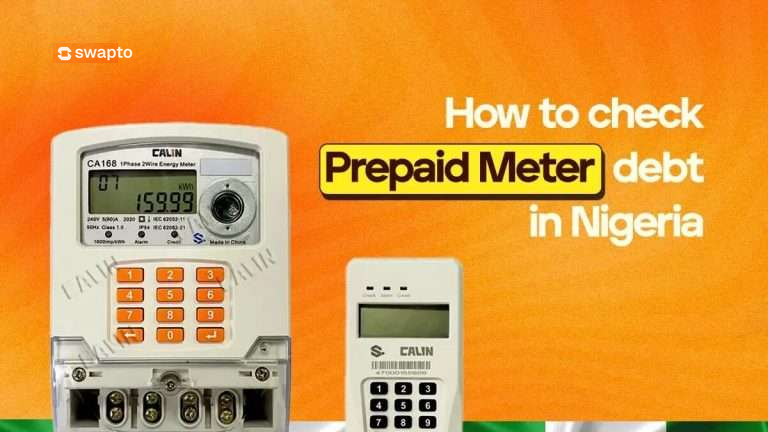
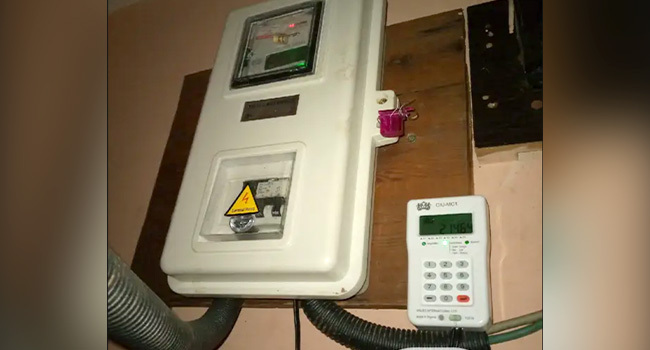
    prepaid meter in nigeria

    A prepaid meter (also called pay-as-you-go) is the digital electricity meter that requires you to buy units before you can use power. You pay upfront, the meter loads tokens, and you consume electricity until the units run out.

    This is different from a postpaid meter, where the DISCO sends you a bill at the end of each month for what you have already used.

    Prepaid meters are supposed to be the cleaner system. You only pay for what you use, no estimates, no surprises. But in practice, prepaid meters in Nigeria carry debts for four common reasons:

    1. The “free” starter units that aren’t actually free. When a meter is newly installed, it comes loaded with a small amount of electricity to test the connection. These units are presented as “free” but are actually a loan from the DISCO. They get deducted from your first few recharges.

    2. Inherited estimated billing from before the meter was installed. This is the most painful one. Before your prepaid meter arrived, the DISCO was charging the apartment based on estimated billing, which is often inflated and never accurate. If those estimated bills went unpaid for months, the total balance gets transferred to your shiny new prepaid meter the day it goes live. Bose’s case from the intro.

    3. Penalties for meter bypass or illegal connections. If a previous tenant tampered with the meter or made an illegal connection, the DISCO sometimes adds a penalty to the meter’s debt profile. You inherit it when you move in.

    4. Administrative errors or system glitches. Sometimes debts appear on meters for reasons nobody can fully explain. The DISCO’s system runs a reconciliation, an old account gets merged incorrectly, and a debt lands on your meter that has nothing to do with you. These are disputable.

    The first thing to understand: outstanding debts don’t disappear when you move out. They sit on the meter itself. Whoever lives in that apartment next inherits them. This is why checking for debt before signing a new lease, and checking your own meter regularly, matters.

    The 4 Verified Ways to Check Prepaid Meter Debt in Nigeria

    Different DISCOs (Ikeja Electric, EKEDC, IBEDC, AEDC, Enugu Electric, Port Harcourt, Kaduna, Kano, Jos, Yola, Benin) handle debt checks slightly differently, but these four methods work across all of them.

    Method 1: Use BuyPower (Fastest Method)

    BuyPower has a built-in feature that shows you the exact debt on a meter before you finalize a payment. It is the most reliable third-party method and works for every Nigerian DISCO.

    1. Go to www.buypower.ng.
    2. Enter your phone number, then click “Click here to buy electricity.”
    3. Input your state, select your DISCO (Ikeja Electric, EKEDC, IBEDC, etc.), and enter your meter number.
    4. Type in any amount you want to “purchase” (you won’t be charged until you confirm).
    5. On the review page, look for the “Outstanding” field.

    Whatever amount appears next to “Outstanding” is the debt currently sitting on your meter. If you see ₦12,500 there, that is what you owe before you start paying for fresh electricity.

    You can close the page without completing payment. The check itself is free.

    Method 2: Use VTpass or Sycamore

    VTpass and Sycamore work the same way as BuyPower. Both platforms show your meter’s outstanding balance before you complete a transaction.

    For VTpass, you can also send your meter number directly to their support email (support@vtpass.com) or chat with them on their website, and they’ll send you a breakdown of your outstanding debt within minutes.

    Sycamore goes one step further: if you have an active savings plan on the app, you earn 3 percent cashback on every electricity bill you pay. So checking your meter through Sycamore can double as a way to clear the debt while getting money back.

    Method 3: Use Your DISCO’s Customer Portal

    Every major Nigerian DISCO has its own portal where you can view your account history.

    DISCOPortalCoverage Area
    Ikeja Electricikejaelectric.comLagos (excluding Lagos Island, Apapa, Ajah)
    EKEDC (Eko Electric)ekedp.comLagos Island, Apapa, Ajah, Lekki, Ikoyi
    IBEDCibedc.comOyo, Ogun, Osun, Kwara, parts of Niger, Ekiti, Kogi
    AEDCabujaelectricity.comAbuja FCT, Kogi, Niger, Nasarawa
    EEDC (Enugu)enugudisco.comEnugu, Abia, Anambra, Ebonyi, Imo
    PHED (Port Harcourt)phed.com.ngRivers, Bayelsa, Cross River, Akwa Ibom
    KEDC (Kano)kedco.ngKano, Jigawa, Katsina

    To check debt on your DISCO’s portal:

    1. Visit the portal and register your account using your meter number.
    2. Once logged in, navigate to “Vend History,” “Payment History,” or “Account Statement” (the exact name varies by DISCO).
    3. Look through your recent transactions. If a portion of past payments was used to clear a debt, you’ll see it itemized.

    This method is best for understanding patterns over time. The downside is that it doesn’t always show a live, prominent “debt” field the way BuyPower does. Some DISCO portals are also slow or temperamental.

    Method 4: Visit or Call Your DISCO’s Business Unit

    This is the official method, and it’s the most reliable if you suspect the debt is wrong or want a formal record.

    Find your local DISCO business unit (the customer service office that serves your area). Take your meter number, a valid ID, and ideally a recent recharge receipt. Ask for a debt profile printout. The staff can confirm exactly how much debt sits on your meter, when each debt was added, and what it was for.

    DISCO customer service hotlines (for phone enquiries):

    • Ikeja Electric: 07080655555 or 01-700-9700
    • EKEDC: 07080655555 or 01-7000-376
    • IBEDC: 07001239999
    • AEDC: 094612000 or 07041997000
    • EEDC: 084-700040
    • PHED: 084-462044

    Calling is often faster than visiting in person, especially in Lagos and Abuja where business units can have long queues.

    How to Read the Debt Display on Your Meter Itself

    Your physical meter can also show you information about its outstanding debt, though the method depends on the meter brand. The most common ones in Nigeria are Hexing, Mojec, Conlog, Holley, and MOMAS.

    For most meters, the codes work like this:

    • Press 07 then # (or the blue/green button): displays your remaining units balance
    • Press 30 then #: displays the total electricity consumed
    • Press 65 then #: shows the meter’s debt amount (on certain models)
    • Press 1 then #: shows last token loaded

    The exact code varies by manufacturer. Look at the underside or back of your meter for a small label with the brand name, then search that brand’s code list online. Or check the meter’s installation pamphlet if you still have it.

    If your meter is a key/card meter (less common in Nigeria but still in some older buildings), insert the key or card and the screen will display the current balance and any deductions for outstanding debt.

    How to Clear Outstanding Debt on Your Prepaid Meter

    Once you know the debt amount, clearing it is straightforward. There are two paths.

    The Automatic Path (Most Common)

    When you recharge a meter that has an outstanding debt, the DISCO automatically deducts a percentage of every token purchase to pay down the debt. The standard deduction is between 25 and 30 percent of each recharge, though some DISCOs go as high as 50 percent for larger debts.

    So if you recharge ₦10,000 and your meter has ₦8,000 in outstanding debt:

    • About ₦2,500 to ₦3,000 goes toward clearing the debt
    • The remaining ₦7,000 to ₦7,500 buys you actual electricity units

    This continues with every recharge until the debt is fully repaid.

    The Lump-Sum Path (Faster)

    If you want to clear the debt quickly, simply buy a token for the exact debt amount in one transaction. So if your outstanding debt is ₦12,000, recharge ₦12,000. The full amount goes toward clearing the debt, and your next recharge after that will give you full value in electricity.

    Some Nigerians find this approach mentally cleaner because it ends the debt in one go rather than dragging it across months of partial deductions.

    The Negotiated Path (For Big Debts You Inherited)

    If you inherited a debt above ₦100,000 from a previous tenant, you have two formal options through your DISCO:

    Readjustment: You apply to the DISCO arguing that the debt was not yours, and request they reduce or split it. This requires evidence: your move-in date, your lease, photos of the empty apartment, anything that shows you didn’t consume that electricity. Approval rates are low but not zero.

    Redistribution: You agree the debt is real but request to pay it in installments rather than a lump sum. This is more commonly approved because the DISCO still gets its money, just over a longer timeline.

    Both processes are slow. Expect 6 to 12 weeks minimum from application to resolution. You start them at your local DISCO business unit.

    What to Do If You Think a Debt Is Wrong

    Sometimes a meter is flagged with a debt that genuinely shouldn’t be there. Common scenarios:

    • You moved in recently and the debt predates your tenancy
    • You see a debt that’s far larger than your actual consumption history would suggest
    • A debt appeared on your meter overnight with no recharge or transaction trigger

    In any of these cases, follow this process:

    1. Document everything. Take photos of your meter display, photos of your recharge receipts, your lease agreement showing your move-in date, and any communication you have had with the DISCO.
    2. Visit your DISCO’s business unit with all documentation. File a formal dispute. Get a complaint reference number in writing.
    3. Follow up weekly. Disputes that don’t get followed up sit at the bottom of pile. Call your reference number weekly.
    4. Escalate to NERC if the DISCO doesn’t respond within 30 days. The Nigerian Electricity Regulatory Commission accepts customer complaints at consumeraffairs@nerc.gov.ng or via the NERC complaint form on nerc.gov.ng.

    NERC is the regulator that sits above all the DISCOs. They have the authority to force a DISCO to investigate or reverse incorrect charges. Most Nigerians don’t know this avenue exists, which is exactly why it works when you use it.

    How to Avoid Inheriting Someone Else’s Meter Debt

    The cheapest meter debt is the one you never inherited in the first place. Three habits that protect you:

    1. Check the meter debt before signing any new lease. Use BuyPower or VTpass to confirm the outstanding balance on the apartment’s meter. If it’s high, negotiate with the landlord to clear it before you move in, or walk away from the property entirely. This 5-minute check has saved Nigerians hundreds of thousands of naira.
    2. Take a photo of the meter on move-in day showing the display readings and the meter number. This establishes a baseline if disputes arise later.
    3. Recharge regularly and keep all receipts. If you ever need to dispute a debt, your recharge history is the strongest evidence you have.

    Pay Your Electricity Bills Smarter With Swapto(Formerly Dtunes)

    Once you’ve checked your debt and you’re ready to recharge, where you pay matters. Swapto(Formerly Dtunes) lets you pay for your prepaid meter directly from the app, with cashback on every bill payment. No queues, no platform-switching, no hidden charges. You can also fund your bill payment using crypto if that’s how you save, sell BTC, USDT, or ETH, and the naira proceeds go straight to your electricity token.

    Download the Swapto(Formerly Dtunes) app on App Store or Play Store

    Frequently Asked Questions

    How do I check if there is debt on my prepaid meter in Nigeria?

    The fastest way is to go to www.buypower.ng, enter your meter number and your DISCO, type any amount you want to purchase, and check the “Outstanding” field on the review page before completing payment. Whatever amount appears there is the current debt on your meter. You can close the page without paying, the check is free.

    Why am I getting fewer electricity units than I expected when I recharge?

    The most common reason is that your meter has an outstanding debt, and the DISCO is automatically deducting 25 to 30 percent of every recharge to pay it down. Check your meter debt using BuyPower, VTpass, or your DISCO’s portal to see exactly how much is owed.

    Can a prepaid meter inherit debt from a previous tenant?

    Yes, this happens often in Nigeria. If the apartment had unpaid estimated bills before the meter was installed, those bills transfer to the prepaid meter on installation day. The debt sits on the meter itself, not on the person, so whoever lives in the apartment next inherits it. Always check meter debt before signing a new lease.

    How long does it take to clear meter debt?

    If you let the automatic deduction system handle it, clearing the debt depends on how much you owe and how often you recharge. A ₦20,000 debt at 30% deduction would take about 7 recharges of ₦10,000 each to fully clear. If you want to clear it faster, recharge the exact debt amount in one transaction.

    Can I dispute a debt that was wrongly added to my meter?

    Yes. Visit your DISCO’s business unit with documentation (your lease, move-in photos, recharge history) and file a formal dispute. You will receive a reference number. If the DISCO doesn’t respond within 30 days, escalate the case to the Nigerian Electricity Regulatory Commission (NERC) at consumeraffairs@nerc.gov.ng. NERC has authority over all DISCOs and can force a resolution.

    Do all prepaid meters work the same way?

    The check process is similar across DISCOs, but the meter brands (Hexing, Mojec, Conlog, Holley, MOMAS) have slightly different button codes for showing balance and debt information. The online methods (BuyPower, VTpass, DISCO portals) work the same regardless of meter brand.

    What does “outstanding” mean on my electricity recharge page?

    “Outstanding” on a recharge page shows the total debt currently owed on the meter. This includes inherited debts, deductions still being recovered from past recharges, and any administrative charges added by your DISCO. The amount shown in this field is exactly what you owe before you can buy new electricity units.

    How much do DISCOs deduct from each recharge for outstanding debt?

    Most Nigerian DISCOs deduct between 25 and 30 percent of each recharge to pay down outstanding debt. Some DISCOs go higher (up to 50 percent) for larger debts. The deduction continues automatically with every purchase until the debt is fully repaid.

    The Bottom Line

    Outstanding debts on prepaid meters are the silent reason most Nigerians feel like their electricity gets more expensive every year. Once you know the debt is there, you can deal with it: pay it down faster, dispute what isn’t yours, or avoid inheriting it in the first place by checking before you move into a new apartment.

    The five-minute check before signing your next lease is the most valuable habit on this entire page. Save BuyPower or VTpass in your bookmarks, and run a meter check the moment a landlord shows you a property. It is the cheapest piece of due diligence in the whole rental process.

    And when you are ready to recharge, Swapto(Formerly Dtunes) is the smarter way to pay. Especially if you are converting crypto to naira, the funds can go straight from your USDT balance to your electricity token in minutes.

  • How to Sell Bitcoin in Nigeria: Selling BTC Instantly

    How to Sell Bitcoin in Nigeria: Selling BTC Instantly

    Selling Bitcoin in Nigeria isn’t really the problem anymore. Most people already know how to sell BTC, the real struggle is selling it fast, safely, and without unnecessary back-and-forth.

    Between P2P delays, endless buyer excuses, frozen chats, and the familiar “network issues” story, what should be a simple transaction often turns into a waiting game. At this point, many Nigerians aren’t looking for fancy trading strategies; they just want to send their Bitcoin, receive naira, and move on with their day.

    If that sounds like you, you’re exactly where you need to be.

    If you want to sell Bitcoin in Nigeria without negotiating with strangers, without waiting on buyer confirmation, and without guessing rates, then using a direct crypto off-ramp like Swapto(Formerly Dtunes) is currently the cleanest option.

    This guide breaks down how to sell Bitcoin in Nigeria instantly, what actually works in today’s market, and why Swapto(Formerly Dtunes) has quietly become the most reliable option right now especially for anyone who wants to avoid P2P stress altogether.

    Key Takeaways

    • Bitcoin selling in Nigeria doesn’t have to be complicated.
    • The rate you see and where you sell makes a bigger difference than most people realise.
    • There’s a simpler way to convert BTC to naira without P2P stress.

    What Is Bitcoin, and Why Is It Popular in Nigeria?

    Bitcoin (BTC) is the OG cryptocurrency, a digital form of money that operates on a technology called blockchain. Unlike traditional money, Bitcoin isn’t controlled by any bank or government. Instead, it’s decentralized, secure, and can be sent anywhere in the world instantly.

    In Nigeria, Bitcoin’s popularity has skyrocketed. Many Nigerians use BTC to protect their savings against inflation, send money internationally, or invest in something new. Because of its growing use, there’s a big demand for platforms that let you buy and sell Bitcoin easily.

    Why sell Bitcoin and Cryptocurrencies in Nigeria?

    Trading lets you buy and sell BTC, USDT, and other coins to make a profit. Many Nigerians use crypto trading to hedge against inflation or as an investment. The Nigerian crypto market is vibrant, with many platforms and apps available on Google Play and the Apple Store to start your trading experience anywhere, anytime.

    Is It Legal to Sell Bitcoin in Nigeria?

    Selling Bitcoin in Nigeria is legal. The Nigerian government recognizes cryptocurrencies as digital assets and regulates them under theInvestments and Securities Act (ISA) 2025. The Nigerian Securities and Exchange Commission (SEC) oversees crypto trading, which means buying and selling BTC is allowed—as long as you use licensed crypto platforms.

    Banks now support crypto transactions, so you can sell Bitcoin and get your money sent directly to your bank account safely. That said, always keep an eye on regulations because this space moves fast.

    Why Nigerians Are Selling Bitcoin More Than Ever

    Bitcoin has long moved past the hype stage in Nigeria. Today, it’s not just a buzzword or a “get-rich-quick” idea, it’s a real financial tool that people use to manage money, protect savings, and move value around the country or even internationally.

    Nigerians sell BTC for a variety of practical reasons like locking in profit when prices spike, converting crypto to naira for everyday spending, hedging against inflation, funding businesses or personal projects and moving value faster than traditional banking allows.

    When it’s time to convert your Bitcoin to naira, the platform you pick matters far more than the coin itself. One wrong choice can mean delays, lost funds, or a frustrating back-and-forth with buyers, which is exactly why Swapto(Formerly Dtunes) has become the go-to solution for Nigerians who value speed, security, and simplicity.

    Here are things to consider before converting bitcoin to naira in Nigeria

    Two Ways to Sell Bitcoin in Nigeria

    1. Peer-to-Peer (P2P) Platforms

    Peer-to-Peer platforms let you sell Bitcoin to another person, rather than a company or service. On paper, it seems straightforward, but in practice, it can be time-consuming and stressful. Here’s what usually happens:

    • Waiting for a buyer: You might post your BTC for sale and then sit around, hoping someone is ready to buy at your rate. Sometimes it takes hours or even days.
    • Negotiating rates: Buyers often want to haggle, which means you have to keep adjusting prices or explaining why your rate is fair.
    • Confirming payments manually: Once a buyer claims to have paid, you need to check your bank account or payment method before releasing BTC, which is tedious and prone to errors.
    • Dealing with delays, disputes, or silence: It’s not uncommon for buyers to disappear, make excuses, or dispute payments, leaving you stuck in a frustrating back-and-forth.

    While P2P works, it requires a lot of effort and patience, which is why many Nigerians are looking for faster, safer alternatives.

    2. Direct Crypto Off-Ramps

    Direct crypto off-ramps, like Swapto(Formerly Dtunes) allow you to sell Bitcoin directly to the platform instead of another person. This removes almost all the headaches of P2P trading. Here’s how it works:

    • No waiting for buyers: You don’t depend on anyone else being online or ready to buy. The platform is always ready to receive your BTC.
    • No negotiations or haggling: The rate is displayed clearly upfront, so there’s no need to argue or compromise.
    • Instant crediting to your wallet: You send BTC, the naira equivalent is immediately credited to your Swapto(Formerly Dtunes) wallet and you can withdraw straight to your bank account.
    • Simplicity and peace of mind: No chats, no disputes, no “network issues” excuses. Just fast, secure, and predictable transactions.

    This is why more and more Nigerians are moving away from P2P and choosing platforms like Swapto(Formerly Dtunes).

    What Makes a Good Crypto Platform for Nigerians?

    • Security: Look for 2FA (two-factor authentication) and SSL encryption.
    • User-Friendly Interface: A simple app or website makes trading easy, especially for beginners.
    • Instant Payment: Getting your naira quickly is important.
    • Customer Support: Responsive service can save you headaches if anything goes wrong.
    • Regulated: Choose platforms licensed by the Nigerian SEC or reputable international exchanges.

    Best Platforms to Sell Bitcoin in Nigeria

    PlatformSelling MethodPayout SpeedP2P StressRate TransparencyNigerian Focus
    Swapto(Formerly Dtunes)Direct off-rampMinutes after confirmationNoneLive rate shown upfrontBuilt for Nigerians
    Binance P2PPeer-to-peerDepends on buyerHighVaries by traderGlobal
    PaxfulPeer-to-peerDepends on buyerHighNegotiatedGlobal
    Yellow CardDirectModerateNoneFixedAfrica-wide
    BushaDirectModerateNoneFixedNigeria

    Swapto(Formerly Dtunes) Outshines Other Platforms Naturally

    What sets Swapto(Formerly Dtunes) apart for many Nigerian Bitcoin sellers is how predictable the entire selling process feels. Instead of waiting on a buyer, monitoring chats, or confirming bank alerts manually, the platform allows you to sell Bitcoin directly and move on. Once your BTC receives the required network confirmations, your naira balance is credited and ready for withdrawal. In a market where timing affects value, that reliability makes a real difference.

    Transparency also plays a big role. Swapto(Formerly Dtunes) shows you the BTC-to-naira rate before you commit to a trade, and that rate is exactly what gets applied. There are no hidden deductions, sudden adjustments, or last-minute surprises. Combined with strong security measures like two-factor authentication, transaction monitoring, and controlled withdrawals, the platform removes many of the risks that often come with peer-to-peer trading.

    Beyond the technical side, Swapto(Formerly Dtunes) is clearly designed for Nigerian users. The app is easy to navigate whether you’re selling Bitcoin for the first time or doing it regularly. Local bank withdrawals work smoothly, customer support understands the realities of Nigerian banking, and the instant-sell model eliminates the emotional and time cost of P2P transactions. Taken together, Swapto(Formerly Dtunes) fits how most Nigerians actually want to sell Bitcoin today: fast, clear, and without unnecessary stress.

    How to Sell Bitcoin in Nigeria

    Swapto(Formerly Dtunes) homepage

    This is what the process actually looks like in real life.

    • Download the Swapto(Formerly Dtunes) app from Google Play Store or the App Store and create your account using your email. The setup is quick and doesn’t feel like paperwork.
    • Add your Nigerian bank details and set a secure PIN. This PIN authorises withdrawals and keeps your account locked down.
    • From the dashboard, tap “Trade Crypto” and select Bitcoin (BTC) as the asset you want to sell.
    • Enter the amount of BTC you’re converting. The app shows you the naira value immediately.
    • Copy the BTC wallet address provided and send your Bitcoin from your external wallet.
    • Once the blockchain confirms the transaction, your naira is credited to your Swapto(Formerly Dtunes) wallet.
    • Withdraw straight to your bank account and that’s all.

    How Long Does It Take to Sell BTC on Swapto(Formerly Dtunes)?

    Most of the waiting time has nothing to do with Swapto(Formerly Dtunes), it’s about Bitcoin network confirmation.

    Once your BTC is confirmed on the blockchain, conversion happens next and quickly, your naira value reflects shortly after and instant withdrawal to your bank follows.

    Delays usually happen only when the wrong wallet address is used, network fees are too low or the sender rushes the process.

    Tips for Selling Bitcoin at the Best Rate in Nigeria

    • Compare Rates Across Platforms
      Check exchange rates on different platforms before selling. Even a small difference can mean more naira in your pocket. Swapto(Formerly Dtunes) has the best rates, so no need to stress.
    • Sell in Small Batches
      If the Bitcoin price is volatile, selling smaller amounts over time can help you get better average rates.
    • Watch Out for Fees
      Every platform charges fees. Swapto(Formerly Dtunes) offers low fees, so you keep more of your money.

    Common Questions About Selling Bitcoin in Nigeria

    Q: Can I sell Bitcoin instantly?
    A: Yes, many platforms pay instantly or within minutes once the transaction is confirmed.

    Q: How do I convert Bitcoin to cash?
    A: Sell your BTC on a crypto platform and withdraw the Naira directly to your bank. Then, withdraw cash from your bank as usual.

    Q: Are there limits on how much BTC I can sell?
    A: Limits vary by platform and your verification level. Higher verification usually means higher limits.

    Q: What fees should I expect?
    A: Expect platform fees (usually 0.5% to 1.5%) and network transaction fees for moving BTC on the blockchain.

    Q: How safe is peer-to-peer trading?
    A: P2P is safe if you use escrow and trade on reputable platforms. Always verify the buyer’s reputation.

    Final Thoughts

    Selling Bitcoin in Nigeria doesn’t have to be complicated. With the right crypto platform, a secure Bitcoin wallet, and a bit of market knowledge, you can sell BTC for Naira at the best rate and get paid instantly.

    Stay updated on Nigeria’s crypto regulations and always prioritize security. Whether you’re selling your first Bitcoin or managing a portfolio, this guide should help you make confident, smart decisions.

    Quick Recap Table: How to Sell Bitcoin in Nigeria

    StepWhat to DoTip
    Create WalletChoose app wallet like Trust WalletKeep your private keys safe
    Pick PlatformSelect trusted platform (Yellow Card, Busha)Compare exchange rates first
    Verify AccountComplete KYC by uploading IDUse official documents
    Transfer BTC to PlatformSend BTC from your walletDouble-check the wallet address
    Sell BitcoinPlace sell order for BTCCheck fees and best rate
    Get Paid in NairaWithdraw to your Nigerian bank accountUse instant withdrawal if possible

  • LTC/NGN: Litecoin to Nigerian Naira

    LTC/NGN: Litecoin to Nigerian Naira

    Litecoin to Nigerian Naira: Are you an LTC holder looking to convert your digital assets into Nigerian Naira? Look no further! With the growing popularity of cryptocurrencies in Nigeria, it has become increasingly important to find a reliable platform that allows seamless conversion of LTC to NGN at the best rate possible. In this article, we will introduce you to Swapto(Formerly Dtunes), a trusted platform that facilitates hassle-free LTC to Nigerian Naira transactions.

    LTC to Naira Converter

    LTC (in USD)RateAmount (in Naira)
    1800800
    58004000
    108008000
    2080016000
    5080040000
    10080080000
    200820164000
    500820410000
    1000820820000

    How to sell Litecoin to Nigerian Naira on Swapto(Formerly Dtunes)

    Swapto(Formerly Dtunes) is a leading cryptocurrency exchange platform that enables users to sell their LTC for Nigerian Naira. To begin the process, you’ll first need to sign up for an account on the Swapto(Formerly Dtunes) website or mobile app. Registration is simple, requiring only basic information such as your email address and a secure password. After your account is set up and verified, you can proceed to sell your LTC for Nigerian Naira. Here’s a step-by-step guide on how to do it:

    • Log into your account
    • Click on “Trade Crypto” on the homepage
    • Choose “Trade Crypto”
    • Choose the type of crypto you want to sell (LTC in this case) and ‘continue’
    • Enter the amount, and proceed to trade.

    How to Withdraw Your Funds on Swapto(Formerly Dtunes)

    Once your LTC has been successfully converted to Nigerian Naira and reflected in your Swapto(Formerly Dtunes) wallet, you may choose to withdraw your funds. Here’s how to withdraw your funds on Swapto(Formerly Dtunes):

    • Log into your account
    • Go to “Wallet”
    • Go to “Withdraw”
    • Choose a bank account from your saved beneficiaries or Add a new bank account
    • Enter the amount you want to withdraw
    • Click on “Withdraw”
    • Enter your PIN to confirm withdrawal

    Congratulations! Your funds is on its way to your bank account.

    How to Buy Data and Airtime with LTC on Swapto(Formerly Dtunes)

    Swapto(Formerly Dtunes) goes beyond facilitating LTC to NGN conversions. The platform also allows users to conveniently purchase data and airtime for their mobile devices using LTC. This feature comes in handy, especially for cryptocurrency enthusiasts who prefer to use their digital assets for everyday expenses.

    You can pay your TV and Electricity bill, and buy airtime and data, in the comfort of your house using the Swapto(Formerly Dtunes) app.

    All you need to do is to sell your LTC for cash on Swapto(Formerly Dtunes) first, and then use the cash to pay your bill. It’s that simple!

    Other Cryptos You Can Sell on Swapto(Formerly Dtunes) at the Best Rate

    While LTC is undoubtedly popular, Swapto(Formerly Dtunes) supports a variety of other cryptocurrencies that you can also sell for Nigerian Naira at competitive rates. Some of the supported cryptocurrencies include Bitcoin (BTC), Ethereum (ETH), XRP, USDC, USDT, and many more. The platform ensures a secure and seamless transaction process for all supported digital assets, making it a versatile exchange for crypto enthusiasts in Nigeria.

    Sell Gift Cards on Swapto(Formerly Dtunes) at the Best Rate Now

    In addition to cryptocurrencies, Swapto(Formerly Dtunes) offers a unique service that allows users to sell gift cards at attractive rates. If you have unused gift cards from popular retailers, such as Amazon, iTunes, or Google Play, you can convert them into Nigerian Naira through Swapto(Formerly Dtunes). The platform accepts gift cards from various brands, and the process is quick and straightforward.

    In conclusion, Swapto(Formerly Dtunes) provides a reliable and user-friendly platform for LTC holders in Nigeria to sell their digital assets for Nigerian Naira at the best rates available. With its additional features like buying data and airtime with LTC, support for other cryptocurrencies, and the option to sell gift cards, Swapto(Formerly Dtunes) offers a comprehensive solution for cryptocurrency users in Nigeria. Whether you’re a seasoned crypto trader or a beginner, Swapto(Formerly Dtunes) ensures a seamless experience for all your digital asset needs.

  • How To Verify Bitcoin On Cash App

    How To Verify Bitcoin On Cash App

    If you’re reading this, you’ve probably tried to verify Bitcoin on Cash App while trying to buy or withdraw Bitcoin on Cash App and run into that familiar message:

    “Verification required to access Bitcoin features.”

    Frustrating, right?

    Maybe you were trying to send BTC to a cold wallet, or you just wanted to take advantage of a quick dip in price. You might have even watched the price spike and realized you couldn’t sell because verification was still pending.

    You’re not alone at all.

    At Swapto(Formerly Dtunes), we’re in the trenches with people who use crypto in real life. Not for hype, but for remittances, savings, flipping opportunities, or simply staying ahead in a fast-moving financial space. And if you’re in Nigeria, Ghana, Kenya, or anywhere else with growing Bitcoin adoption, the stakes are even higher when platforms make things unnecessarily complicated.

    So in this guide, I’ll walk you through how to verify Bitcoin on Cash App—not just the steps, but what to expect, how to fix common issues, and how to position yourself for a smooth experience. Consider this your go-to playbook with extra insights you won’t find on generic sites.

    How to Verify Bitcoin on Cash App (Simple Steps):

    • Download and install Cash App from Google Play or Apple Store
    • Sign up with your name, phone number, and email
    • (Optional) Link your bank account for easier transactions
    • Tap the “Investing” tab, then select “Bitcoin”
    • Tap “Verify” to start the verification process
    • Enter your full name, date of birth, and SSN
    • Upload a clear photo of your valid ID (e.g. driver’s license or passport)
    • Take a selfie for identity confirmation
    • Wait for approval (usually within minutes)
    • Once approved, you can buy, sell, or withdraw Bitcoin
    • (Optional) Turn on two-factor authentication for added security
    Verify Bitcoin On Cash App

    Why Verify Bitcoin On Cash App

    Cash App doesn’t hate you. They’re just doing what most regulated platforms must do—follow rules tied to anti-money laundering (AML) and know-your-customer (KYC) policies.

    When you verify your identity, you unlock access to all Bitcoin-related features: sending, receiving, buying, selling, and transferring BTC outside Cash App. Until then, you’re stuck at the gate with a locked wallet.

    It’s also a move to protect you. Verifying gives your account a higher trust rating, reduces fraud risks, and puts you in the good books of financial regulators.

    Common Reasons People Delay or Avoid Bitcoin Verification

    Before we get into the steps, let’s call out a few common roadblocks:

    • Fear of surveillance: Some users worry about sharing personal info like a driver’s license or passport.
    • Bad past experiences: Maybe another app took days—or weeks—to approve you.
    • Not sure what’s needed: A lot of folks don’t know that blurry selfies or expired IDs cause rejections.

    Whatever your reason, this article will help you verify confidently, avoid mistakes, and get your Bitcoin flowing.

    Quick Checklist to Verify Bitcoin On Cash App

    To verify Bitcoin on Cash App, here’s what you’ll need:

    • A clear selfie for ID confirmation
    • A Cash App account with a working phone number and email
    • A valid ID (like a driver’s license or passport)
    • You must be 18 or older

    Pro Tip: Don’t use scanned copies. Use the original ID and your smartphone camera for best results.

    Bitcoin on cashapp

    How to Verify Bitcoin on Cash App

    Let’s break it down in real terms—not tech jargon.

    Step 1: Update or Download Cash App

    Make sure you’re using the latest version of Cash App. Update it from your app store or download it if you’re new. Old versions may not support Bitcoin verification properly.

    Step 2: Create or Log In to Your Account

    Sign up with your email and phone number. You’ll get verification codes for both—don’t skip them. Cash App won’t proceed without confirming your identity basics first.

    Step 3: Navigate to the Bitcoin Section

    • Tap the Investing icon at the bottom
    • Choose Bitcoin
    • Hit the “Enable Withdrawals and Deposits” prompt

    This is where the magic starts.

    Step 4: Start the Verification Process

    Cash App will now ask for:

    • Your full legal name
    • Date of birth
    • SSN (for Americans)
    • A government-issued ID photo
    • A live selfie

    Pro Tip: Take your selfie in the same lighting and outfit as your ID photo. Cash App uses automated facial recognition to match your selfie with your ID.

    How Long Does It Take to Verify Bitcoin on Cash App?

    Once you’ve submitted your ID and selfie, Cash App will start reviewing your information. For most users, verification is fairly quick — but a few things can affect the timing.

    What to Expect:

    • Most verifications are completed within 24 to 48 hours
    • Some users get verified in just a few hours if everything is clear
    • In some cases (like unclear photos or high traffic), it might take up to 72 hours

    What Can Delay the Process?

    • A blurry selfie or poorly taken ID photo
    • Mismatched details between your ID and what you entered
    • Verifying during busy periods like weekends or market surges
    • A manual review triggered by an issue in your submission

    Pro Tips to Get Verified Faster:

    • Take your photos in good natural lighting
    • Double-check that your info matches your ID exactly
    • Don’t use screenshots, edits, or cropped versions of your documents
    • Try submitting your verification during weekdays when volume is lower

    If your verification is still pending after 48 hours, you can contact Cash App support directly through the app for help.

    Can I Verify Bitcoin on Cash App Without an ID?

    Short answer? No, not if you want full access.

    Cash App requires a valid government-issued ID to unlock Bitcoin features like sending, withdrawing, or increasing your buy limits. This is part of their compliance with U.S. regulations around cryptocurrency—specifically anti-money laundering (AML) and know-your-customer (KYC) laws.

    Some people online might say you can bypass this by linking your debit card or bank account. That might get you into the app, but it won’t unlock Bitcoin features. You’ll still get hit with a message asking for ID when you try to send or withdraw BTC.

    What You Can Do Without ID

    • View Bitcoin prices
    • Possibly buy small amounts under very tight limits
    • Track BTC performance inside the app

    But you can’t:

    • Withdraw BTC to another wallet
    • Sell BTC
    • Send BTC to another user
    • Increase your Bitcoin limits

    What If You’re Not in the U.S.?

    Cash App’s Bitcoin features are officially supported in the U.S. only. So if you’re in Lagos or Nairobi and using a U.S. Cash App account via VPN or a U.S. number, proceed with caution. You must have valid U.S.-based identity documents for this to work.

    Using a friend’s details? Don’t. It might work temporarily, but it can get flagged and frozen later.

    How to Troubleshoot Common Problems

    1. Why is my cash app bitcoin verification taking so long?

    This usually means one of three things:

    • Your ID photo wasn’t clear enough
    • Your selfie didn’t match your ID
    • There’s a high volume of verifications

    Fix it: Re-upload clearer images and be patient. If you wait over 48 hours, contact Cash App support via the app or support.cash.app.

    2. “Verification Denied” Error

    This happens when:

    • Your info doesn’t match public records
    • You’re underage
    • You uploaded edited or filtered images

    Fix it: Re-enter correct info. Use a different government-issued ID if your first one was rejected.

    Pro Tips for Fast Approval

    1. Use natural daylight for selfies and ID photos
    2. Don’t crop or edit your ID images
    3. Use a U.S. number and SSN (if required)
    4. Ensure your address matches records if asked

    What Can You Do After Verification?

    Once verified, here’s what’s unlocked:

    FeatureAccess
    Buy Bitcoin✅
    Sell Bitcoin✅
    Send BTC to external wallet✅
    Receive BTC from another wallet✅
    Increase BTC purchase limit✅

    Limits vary but usually increase to $100,000+ weekly depending on usage and history.

    Final Thoughts

    Bitcoin is no longer fringe. It’s part of how people build wealth, store value, and make transactions across borders. If you’re serious about using Cash App for BTC—whether to invest, send money to family, or just stay liquid—you’ll need to verify your account.

    Do it now, do it right, and do it once. That way, the next time Bitcoin spikes and you’re ready to sell or withdraw, you’re not stuck waiting for an approval email.

    Frequently Asked Questions About Bitcoin Verification on Cash App

    What does Bitcoin verification mean on Cash App?


    It’s the process of confirming your identity so you can buy, sell, or send Bitcoin using the app.

    Can I sell Bitcoin without verifying my account?


    No, you’ll need to verify your identity first. This includes sharing your name, date of birth, and a valid ID.

    What happens after I’m verified?


    You’ll get access to higher Bitcoin limits, which can grow based on how you use your account.

    More articles you may like:

  • Top 5 Free Bitcoin Transaction Accelerators to Use

    Top 5 Free Bitcoin Transaction Accelerators to Use

    Free Bitcoin Transaction Accelerators: In the ever-evolving landscape of cryptocurrency, Bitcoin transactions have become a vital part of the digital economy. However, the scalability of the Bitcoin network sometimes leads to congestion, resulting in delayed transactions. To expedite the confirmation process, users often turn to Bitcoin transaction accelerators. In this article, we will explore the top 5 free Bitcoin transaction accelerators that users can leverage to enhance the speed of their transactions.

    What is a Bitcoin Transaction Accelerator?

    Before diving into the top accelerators, let’s understand what a Bitcoin transaction accelerator is. A transaction accelerator is a service that expedites the confirmation of Bitcoin transactions by prioritizing them in the network’s queue. It works by resubmitting the transaction to the network, increasing the chances of miners including it in the next block.

    5 Free Bitcoin Transaction Accelerators to Use

    1. BTC.com Transaction Accelerator: Boosting Speed with Reliability

    BTC.com, one of the leading Bitcoin wallets and mining pools, offers a reliable and free transaction accelerator service. Users can simply visit the BTC.com website, enter their transaction ID and the provided security code, and click on the “Accelerate” button. The service boasts a high success rate, making it a popular choice for users seeking a quick and efficient acceleration of their Bitcoin transactions.

    2. ViaBTC Transaction Accelerator: Miners’ Choice for Speed

    ViaBTC, a prominent cryptocurrency mining pool, provides a free Bitcoin transaction accelerator service. Users can access this service on the ViaBTC website, where they need to submit their transaction ID and complete a captcha for verification. ViaBTC prioritizes transactions for its mining pool, increasing the likelihood of swift confirmation. This accelerator is known for its effectiveness, especially during periods of network congestion.

    3. ConfirmTX: Community-Powered Acceleration

    ConfirmTX stands out as a community-driven Bitcoin transaction accelerator. It operates on a simple principle – users can submit their transaction details on the ConfirmTX website, and the community helps accelerate the process by upvoting transactions. The more upvotes a transaction receives, the higher its priority for acceleration. ConfirmTX is an excellent option for those who appreciate a decentralized and community-driven approach to expediting Bitcoin transactions.

    4. Bitcoin Afterburner: Acceleration with a Personal Touch

    Bitcoin Afterburner is a user-friendly and free Bitcoin transaction accelerator that comes in the form of a software tool. Developed by the team at Samourai Wallet, Bitcoin Afterburner allows users to bump their transaction fees, increasing the likelihood of prompt confirmation. The tool can be downloaded and installed, providing users with a more hands-on approach to accelerating their Bitcoin transactions. Bitcoin Afterburner is particularly beneficial for users who prefer a personal touch in managing the acceleration process.

    5. Antpool Transaction Accelerator: Empowering Users with Speed

    Antpool, another major player in the cryptocurrency mining industry, offers a free Bitcoin transaction acceleration service. Users can access the Antpool Transaction Accelerator on their website and submit their transaction details, including the transaction ID and a captcha for verification. As part of the Antpool mining pool, this accelerator prioritizes submitted transactions, increasing the chances of rapid confirmation. Antpool Transaction Accelerator is a reliable option for users seeking a free and effective solution to accelerate their Bitcoin transactions in times of network congestion.

    Conclusion

    In the fast-paced world of cryptocurrencies, the need for efficient and prompt transactions is paramount. Bitcoin transaction accelerators play a crucial role in addressing the challenges posed by network congestion. The top 5 free accelerators mentioned – BTC.com, ViaBTC, ConfirmTX, and Bitcoin Afterburner – offer users diverse options, whether they prefer a miner-centric approach, community-driven solutions, or a more hands-on tool. By leveraging these accelerators, users can enhance the speed and efficiency of their Bitcoin transactions, ensuring a seamless experience in the digital economy.

  • Steps on How to Recover Stolen Bitcoin

    Steps on How to Recover Stolen Bitcoin

    How to Recover Stolen Bitcoin: Bitcoin has become a game-changer in how we handle money, offering a new level of freedom and privacy. It’s a digital asset that allows us to manage wealth without relying on traditional banks. But, just like with any valuable asset, Bitcoin comes with its own set of risks especially when it’s online. Unfortunately, theft is one of the harsh realities of the digital world.

    Maybe you’ve had your Bitcoin stolen through a scam, a hacked wallet, or an exchange breach. It’s a terrifying experience, but don’t panic, there are steps you can take to try and recover your stolen Bitcoin. In this guide, we’ll walk through how to handle such situations, what you can do to potentially get your funds back, and, most importantly, how to keep your Bitcoin safe moving forward. Let’s dive into protecting your digital wealth, step by step.

    How to Recover Stolen Bitcoin

    If you find yourself in the unfortunate situation of having your Bitcoin stolen, it’s crucial to act swiftly and follow specific steps to increase the chances of recovering your lost funds. In this comprehensive guide, we will explore the steps on how to retrieve stolen Bitcoin.

    Understanding the Nature of Bitcoin Theft

    Before diving into the steps to recover stolen Bitcoin, it’s essential to comprehend the different ways in which Bitcoin theft can occur. This understanding will help you better assess your situation and tailor your recovery efforts accordingly. Bitcoin theft can take various forms, including:

    1. Phishing Attacks: These are fraudulent attempts to obtain your private keys or login credentials through deceptive websites or communication methods that appear legitimate.
    2. Hacking of Exchanges: Some thieves target cryptocurrency exchanges, breaking into their systems to steal users’ funds. Notable examples include the Mt. Gox and Coincheck incidents.
    3. Malware and Keyloggers: Malicious software can infiltrate your device, recording your keystrokes or directly accessing your Bitcoin wallet’s private keys.
    4. Social Engineering: Scammers may manipulate individuals into revealing their private keys or sending Bitcoin to fraudulent addresses through elaborate schemes.
    5. Stolen Hardware Wallets: If you use a hardware wallet to store your Bitcoin, physical theft of the device could lead to the loss of your funds.
    6. Exit Scams: Some cryptocurrency projects and platforms engage in exit scams, where they vanish with users’ funds.
    7. Ponzi Schemes: Investors can fall victim to Bitcoin-related Ponzi schemes, resulting in substantial losses.

    Now that we have a grasp of the potential avenues through which Bitcoin theft can occur, let’s delve into the steps to retrieve stolen Bitcoin.

    Step 1: Confirm the Theft

    The first step in any recovery process is to confirm that your Bitcoin has indeed been stolen. Sometimes, what appears to be a theft may be a simple misunderstanding or technical glitch. Here’s how to verify the theft:

    1.1. Check Your Wallet Balance: Log in to your Bitcoin wallet or exchange account to confirm that your balance is lower than expected.

    1.2. Review Transaction History: Examine your transaction history for any unauthorized or suspicious transactions. Look for unfamiliar wallet addresses or outgoing transfers you did not initiate.

    1.3. Check for Security Breaches: Review your device for signs of malware or unauthorized access. Ensure your email and other accounts associated with your Bitcoin holdings are secure.

    1.4. Contact Your Exchange: If your Bitcoin was stored on a cryptocurrency exchange, contact their customer support to inquire about any suspicious activity on your account.

    Step 2: Report the Theft

    Once you have confirmed the theft, it’s crucial to report it to the relevant authorities and organizations. Reporting the theft will help create a record of the incident and may be necessary for legal purposes. Here’s what you should do:

    2.1. File a Police Report: If the theft is substantial or involves criminal activity, contact your local law enforcement agency to file a police report. Provide as much detail as possible about the theft, including dates, times, and any information about the thief if known.

    2.2. Report to the Exchange: If your Bitcoin was stolen from a cryptocurrency exchange, report the incident to the exchange’s customer support. They may conduct an internal investigation and take appropriate action.

    2.3. Contact Relevant Authorities: Depending on the nature and scale of the theft, you may need to report it to regulatory authorities in your country, such as the Financial Crimes Enforcement Network (FinCEN) in the United States.

    Step 3: Seek Professional Assistance

    Recovering stolen Bitcoin can be a complex and challenging process, and it may require the expertise of professionals who specialize in cryptocurrency forensics and recovery. Consider the following options:

    3.1. Hire a Cryptocurrency Recovery Service: Several companies and experts specialize in recovering stolen cryptocurrencies. These professionals have the tools and knowledge to trace stolen funds and potentially recover them.

    3.2. Consult Legal Counsel: If the theft involves a significant amount of Bitcoin or complex legal issues, consult with an attorney experienced in cryptocurrency and cybercrime cases.

    3.3. Contact Cybersecurity Experts: Cybersecurity experts can help you identify and address vulnerabilities in your digital environment, reducing the risk of future theft.

    Step 4: Trace the Stolen Bitcoin

    Tracing stolen Bitcoin is a critical step in the recovery process. It involves following the trail of transactions to identify the thief’s wallet address or addresses. Here’s how to trace stolen Bitcoin:

    4.1. Analyze Transaction History: Examine the transaction history of your wallet or exchange account to identify the address where the stolen Bitcoin was sent.

    4.2. Follow the Money: Use blockchain explorers and tools like Chainalysis or CipherTrace to trace the stolen Bitcoin’s path through the blockchain. Look for any further transactions involving the stolen Bitcoin.

    4.3. Identify Exchanges: Determine if the thief moved the stolen Bitcoin to a cryptocurrency exchange. If so, contact the exchange and provide them with the relevant information.

    4.4. Contact Other Victims: In some cases, multiple individuals may have fallen victim to the same thief or scam. Collaborate with others who have experienced similar thefts to share information and resources.

    Step 5: Work with Law Enforcement

    Cooperating with law enforcement agencies can be crucial in cases of Bitcoin theft. They have the authority and resources to investigate and potentially apprehend the culprits. Here’s how to collaborate effectively:

    5.1. Provide Evidence: Share all relevant evidence and information with law enforcement, including transaction records, wallet addresses, and any communication with the thief.

    5.2. Stay in Contact: Maintain open lines of communication with the assigned investigator or agency. Provide updates on any new developments or information related to the theft.

    5.3. Follow Legal Procedures: Adhere to the legal process and cooperate fully with law enforcement authorities. This may include testifying in court if necessary.

    Step 6: Engage in Negotiation

    In some cases, it may be possible to negotiate with the thief or scammer for the return of your stolen Bitcoin. This approach can be delicate, and it’s essential to exercise caution. Here’s how to proceed:

    6.1. Contact the Thief: If you have identified the thief’s wallet address or have any means of communication, consider reaching out to them. Be cautious and avoid disclosing sensitive information.

    6.2. Seek Mediation: In certain situations, it may be beneficial to involve a trusted third party or mediator to facilitate the negotiation process. This can help ensure a fair and safe exchange.

    6.3. Document All Communication: Keep records of all communication with the thief or scammer, including messages, emails, or any agreements reached. This documentation may be useful in legal proceedings.

    Step 7: Enhance Security Measures

    Prevention is always better than cure, and enhancing your security measures can significantly reduce the risk of future Bitcoin theft. Consider the following security enhancements:

    7.1. Use Hardware Wallets: Store your Bitcoin in hardware wallets, which offer a higher level of security compared to online wallets or exchanges.

    7.2. Enable Two-Factor Authentication (2FA): Enable 2FA on all your accounts related to Bitcoin, including your email and exchange accounts.

    7.3. Regularly Update Software: Keep your device’s operating system and antivirus software up to date to protect against malware and keyloggers.

    7.4. Educate Yourself: Stay informed about the latest phishing techniques, scams, and security best practices in the cryptocurrency space.

    7.5. Secure Your Private Keys: Store your private keys offline in a secure location, such as a physical vault or safety deposit box.

    Step 8: Be Patient and Persistent

    Recovering stolen Bitcoin can be a lengthy and challenging process, and success is not guaranteed. It’s essential to remain patient and persistent throughout the journey. Here’s what to keep in mind:

    8.1. Legal Processes Take Time: Legal investigations and proceedings can take months or even years to conclude. Be prepared for a potentially extended recovery process.

    8.2. Stay Informed: Stay updated on the progress of your case and any developments related to the theft. This will help you make informed decisions.

    8.3. Learn from the Experience: Use the unfortunate incident as an opportunity to learn more about Bitcoin security and the importance of safeguarding your assets.

    Step 9: Educate Others

    As you navigate the process of recovering stolen Bitcoin, consider sharing your experience and knowledge with others. Educating the community can help prevent future thefts and scams. Here’s how to do it:

    9.1. Raise Awareness: Share your story on social media, cryptocurrency forums, or other relevant platforms to alert others about the risks and potential pitfalls.

    9.2. Offer Guidance: Provide guidance and tips on how to secure Bitcoin holdings and avoid common scams.

    9.3. Support Victims: Offer support and assistance to individuals who have experienced similar thefts. Your experience and insights can be invaluable to them.

    Step 10: Consider Legal Action

    If all else fails, and despite your best efforts, you are unable to recover your stolen Bitcoin, you may need to explore legal action as a last resort. Legal remedies can vary depending on your jurisdiction and the circumstances of the theft. Consult with your attorney to assess the feasibility of pursuing legal action.

    Conclusion

    Recovering stolen Bitcoin is a challenging endeavor that requires a combination of technical knowledge, persistence, and collaboration with law enforcement and professionals in the field. While success is not guaranteed, following the steps outlined in this guide can improve your chances of retrieving your stolen funds and preventing future thefts.

    Be sure to use reputable exchanges like Swapto(Formerly Dtunes) to secure your Bitcoin and other cryptocurrencies.

    Remember always to prioritize security and take proactive measures to protect your cryptocurrency holdings from theft and scams. The cryptocurrency landscape is continually evolving, and staying informed and vigilant is key to safeguarding your digital assets.