Dial *312*Phone number*Data amount# or text Transfer<space> Phone number<space>Data amount and to 312.
MTN Data Sharing: There’s nothing as annoying as being in a situation where you’re unable to buy data due to one thing or another. If you’ve experienced it, then you know how annoying it is. But thank goodness for great innovations like the MTN data sharing feature that allows you to gift and be gifted data.
So if you have no idea this feature even exists, rest assured, we will be talking about how to gift data on MTN, so that when you find yourself in that annoying situation, you can easily request for data from your loved ones.
What is the Code to Share Data On MTN
Dial *312*Phone number*Data amount# or text Transfer<space>Phone number<space>Data amount and to 312.
MTN Data Sharing
MTN is a mobile telecommunication corporation that originated from South Africa. It is among the largest mobile network operators in the world, and the largest in Africa.
MTN recognizes the importance of being always connected to the internet, and understands that some situations can be beyond our control, and so, to mitigate these risks, came up with a data sharing feature that allows you to gift and be gifted data, no matter where you are in the world.
Here are different MTN Data sharing options available:
Transfer from Data Balance
This option is the most popular one, and it allows you to transfer directly from your own existing data. You need to have an already existing data plan to use this option.
So let’s say you want to gift a friend data, and you already have say 100 gig data plan, you can just transfer out of the 100 gig data plan that you have or whatever’s left out of it, and transfer whatever amount you decide to whoever.
Buy for a Friend
This data sharing option is as it is. It doesn’t require taking from your own data plan. Instead, you have to purchase it for whoever you want to gift. You have to buy it afresh.
Here, there are 3 different options you can choose from to buy for your friend: Data Plans, Social Bundles, and Video Packs.
Selecting data plans allow you to purchase daily, weekly, monthly, 2-months, and 3-months plans at the respective rates.
Selecting social bundles allow you to purchase data for the different social media plans available, e.g. WhatsApp, Facebook, Instagram, Tiktok, etc for your ‘friend’.
For Video packs however, this involves buying a YouTube video pack.
Request from a Friend
This is a really cool feature of MTN data sharing that allows you to request for data from your loved ones rather than wait for them to send it to you. This is a feature for recipients than senders.
You’re the recipient or beneficiary, and you can also request for data. That’s amazing!
View Pending Request
This basically notifies you of any pending data sharing request you have initiated that have not been processed.
Automate Data Transfer
This is for someone you want to probably keep sharing data with on a regular basis. You can automate the data transfer in case you forget to do it.
How to Share Data on MTN: Quick Steps
Dial *321# on your MTN line
Select Option 2 (“Gift Data”)
Choose your preferred action: 3a. Transfer from Data Balance: Enter the recipient’s phone number, select the amount of data (maximum 5GB per day), and confirm the transaction 3b. Buy for a Friend: Choose a data plan, social bundle, or video pack, enter the recipient’s phone number, and follow the prompts to complete 3c. Request from a Friend: Enter your friend’s phone number to send a data request
Follow the prompts to finalize the process
The first thing is to make sure you own an MTN SIM card or number, obviously. Then you also have to make sure that the number you intend to gift data is also an MTN number.
Once this is sorted, follow the steps below for your MTN data sharing:
Dial *321#
MTN recently changed their codes. It used to be *124#, but now that their codes have changed, it is now *321#
However, if you still dial *124#, you would see a page that would refer you to the updated/new codes.
Dialing *321# would take you to a landing screen that welcomes you to Airtime and Data Transfer/ Gift service. Here, you would see buttons that enables you to share airtime, gift data, and share SME data
Select “2” to gift data
Here, you’ll see options that will allow you to
Transfer from your data balance- where you’ll proceed to entering the recipients’ number, then selecting the amount of data you want to transfer. Note that the maximum daily transfer limit is 5GB. You’ll then be asked to confirm that you want to transfer a certain amount of data to a certain number. If you choose to proceed, the data sharing goes through and the recipient receives your data gift.
Buy for a friend- where you’ll be able to choose the data plan to gift be it data plans, social bundles or video packs, and then you can proceed from there by entering the recipient’s number.
Request from a Friend- where you’re able to request as a recipient. All you have to do is enter the phone number of the friend you wish to request data from.
Conclusion
The internet has become an integral part of our lives, and it is now very important to stay connected no matter where you are.
Now that you know how to gift data on MTN, go ahead and start gifting your friends data.
The fastest way to share data is to dial *312# and select the option for Gifting or Me2U.
In 2025, Nigeria has seen mobile data consumption reach record highs—over 1.13 million terabytes of mobile data were used in July alone, up from about 1.04 million terabytes in June.
Meanwhile, Airtel Nigeria has grown its data subscriber base by more than 11% year-on-year to about 29.3 million users, and average monthly data usage per user climbed to around 13.2 GB.
With so many Nigerians relying on mobile internet for work, education, social life, and entertainment, being able to share or transfer data easily has become not just useful but essential—especially for staying connected with loved ones who might be running low or far from data access.
Quick steps to Share Data on Airtel
*Dial 312# on your Airtel line to open the menu.
Select 14 (Gifting and Sharing) and then choose 4 (Data Me2U).
If it’s your first time, set a new PIN (the default is 1234).
Enter the recipient’s Airtel number and the amount of data to share.
Confirm the details, and you’ll get a success message!
That’s it—quick and easy!
What Is Airtel Data Sharing?
Airtel offers a data sharing service that allows you to transfer data bundles from one Airtel line to another. This feature, popularly known as Data Me2U, is ideal for sharing data with your loved ones or ensuring that someone else can stay connected as a kind gesture.
Now, what are the key benefits of Airtel data sharing?
Convenience: Easily share data with family and friends using a few easy steps.
Flexibility: Transfer a unit of your data bundle instead of buying a new plan for someone else.
Stay Connected: Keep others online, even when they run out of data. It’s also a love language….
How to Share Data on Airtel
Airtel provides multiple methods for sharing and transferring data. You can use USSD codes, SMS, or the Airtel mobile app. Below is a detailed breakdown of each method:
The first thing is to make sure you own an Airtel SIM card or number, obviously. Then you also have to make sure that the number you intend to gift data to is also an Airtel number.
Code to share data on Airtel
The code for sharing data on Airtel is *312#.
The default PIN code for sharing data on Airtel is 1234, but you have to change it for better security.
How to Share Data on Airtel Without Using Codes
Not everyone loves memorizing USSD codes. If you prefer a different approach, Airtel offers alternatives like SMS and its mobile app.
How to Share Data on Airtel Using SMS
Airtel allows you to send data through a simple text message. Here’s how:
Compose an SMS with the format SHARE [Recipient’s Number] [Data Amount].
Send the message to the designated Airtel number for data sharing.
Wait for a confirmation message to complete the process.
This method is ideal if you prefer texting over using codes.
How to Share Data on Airtel Mobile App
If you use Airtel’s mobile app, you can also gift data effortlessly. Steps include:
Download and install the Airtel app on your smartphone.
Log in with your Airtel number.
Navigate to the “Data Gifting” section.
Enter the recipient’s details and select the desired data bundle.
Confirm and complete the process.
This method is user-friendly and perfect for those familiar with mobile apps.
How to Gift Data on Airtel
You’re probably wondering, “What’s the difference between sharing data and gifting data?” Think of sharing data as splitting your own data bundle, while gifting data is more like buying someone a gift card—they get a fresh bundle of their own.
Steps to Gift Data:
Dial *312# and select 14 for “Gifting and Sharing.”
Choose the “Gift Data” option.
Enter the recipient’s Airtel number.
Pick a data bundle plan from the options.
Confirm the purchase, and you’re done!
How to Buy Data for Someone Else on Airtel
If you want to surprise someone with a data plan, Airtel lets you buy data for another number:
Dial *312# and go to the “Buy Data” menu.
Enter the recipient’s number.
Choose a data plan that fits your budget.
Confirm the purchase.
How to Share Data on Airtel Family Plan
Are you managing data for the whole family? Airtel’s Family Plan allows you to allocate data to multiple lines under one account.
Here’s how it works:
Dial *312# and select Family Sharing.
Add family members to your group.
Allocate data to each member based on their needs.
What to Do If Data Sharing Fails
Sometimes, things don’t go as planned. Here’s what to check if your data-sharing attempt fails:
Make sure you have enough data balance.
Double-check the recipient’s number.
Reset your PIN if you’ve forgotten it.
Still no luck? Contact Airtel customer care for help.
Changing Your Default PIN for Data Sharing
For added security, Airtel allows you to reset or change your default PIN. Here’s how:
Dial *312# and navigate to the PIN reset option.
Enter your old PIN (default: 1234) and specify a new one.
Confirm the change.
Your PIN protects your data allowance and ensures unauthorized transfers are avoided.
More Tips for Sharing Data on Airtel
To make the most of Airtel data sharing, consider these tips:
Ensure both you and the recipient are active Airtel subscribers.
Always check your data balance before initiating a transfer.
If gifting data frequently, consider buying a data bundle tailored for gifting.
Use the Airtel app for tracking shared data and transaction history.
Frequently Asked Questions (FAQs)
1. What Is the Maximum Amount of Data I Can Share on Airtel?
The maximum amount varies based on your data plan. Contact Airtel customer care for detailed limits.
2. Can I Share Data With Users on Other Networks Like MTN or 9Mobile?
No, Airtel’s data-sharing feature works only between Airtel lines.
3. Are There Additional Charges for Sharing Data?
No, Airtel does not charge extra for data transfers within its network.
4. What Should I Do if I Forget My PIN?
You can reset your PIN by contacting Airtel customer support or following the steps outlined above.
5. What is the difference between sharing data and gifting data?
Sharing data uses your current data balance, while gifting data buys a new data bundle for someone using your airtime.
6. How can I share data from Airtel to Airtel?
You can share data from your Airtel line to another Airtel line using Airtel’s Data Me2U service. This lets you send a portion of your active data bundle to friends or family who also use Airtel.
7. Which code do I use to share data?
The USSD code is: *141#
Dial *141# on your Airtel line.
Select “Gifting & Sharing”.
Then choose “Data Me2U” and follow the prompts.
8. How to Airtel to Airtel MB transfer?
In simple terms, Airtel to Airtel MB transfer is done using Data Me2U via *141#. Just pick the “Data Me2U” option, enter the recipient’s Airtel number, and the data will be transferred instantly.
Note: You can only share data from an existing active bundle, not from borrowed or bonus data.
Airtel Data Sharing Limits and Restrictions
To avoid confusion when sharing data, here are Airtel’s typical restrictions:
You can only share data from active, paid bundles (not from bonuses or borrowed data).
The minimum data amount you can share is usually 10MB, while the maximum may depend on your plan.
Each Airtel user can perform up to five data transfers per day.
Shared data is valid for the same period as your current data plan — it does not renew separately.
Airtel Data Me2U vs Data Gifting — Key Differences
Feature
Data Me2U
Data Gifting
Source
From your existing data balance
You buy a new data bundle for someone else
Data validity
Same as your own plan
New validity period starts for the recipient
Cost
Free
Deducts cost from your airtime
Ideal for
Sharing extra data
Giving someone a surprise or gift
How to Check Airtel Data Balance After Sharing
After transferring data, you can check your balance using:
USSD Code: Dial *312# and select “Check Data Balance.”
SMS: Send “STATUS” to 312.
Airtel App: Open your app dashboard to view real-time data usage and remaining balance.
This helps ensure you don’t run out unexpectedly after multiple transfers.
Common Errors When Sharing Airtel Data (and Fixes)
Error Message
Likely Cause
Fix
“Transaction Failed”
Insufficient data balance
Buy or renew your bundle
“Invalid Number”
Mistyped recipient number
Recheck and retry
“PIN Error”
Incorrect PIN
Reset via *312# and set a new one
“Service Unavailable”
Temporary Airtel downtime
Wait a few minutes and retry
Airtel Customer Care & Contact Options
If you ever experience issues with Airtel’s data transfer service, you can reach support through:
The internet has become an integral part of our lives, and it is now very important to stay connected no matter where you are.
Now that you know how to gift data on Airtel, go ahead and start gifting your friends data.
Did you know that you can buy Airtime and Data on the Swapto(Formerly Dtunes) App?
Swapto(Formerly Dtunes) is the number one app that allows you to trade your gift cards and cryptocurrencies at juicy rates. Definitely the best rate in town. Yes! That’s how good it is. It is a very seamless way of selling your gift cards and cryptocurrencies in Nigeria. And also buy airtime and data from different network providers like MTN, Glo, Airtel and 9mobile.
My friend Bose moved into a new flat in Surulere last December. She loved everything about the apartment: the natural light, the gateman who actually showed up, the neighbour who turned out to be a former classmate. She paid the agency fee, signed the lease, and recharged her prepaid meter with ₦5,000 to settle in.
Then she stared at the meter, confused. Instead of the units she expected, it showed something close to ₦1,200 worth of electricity.
Someone before her had been racking up an estimated bill for fourteen months. That debt didn’t disappear when she moved in. It transferred straight to the meter. Bose, who had never used a single watt of that electricity, was now paying for it.
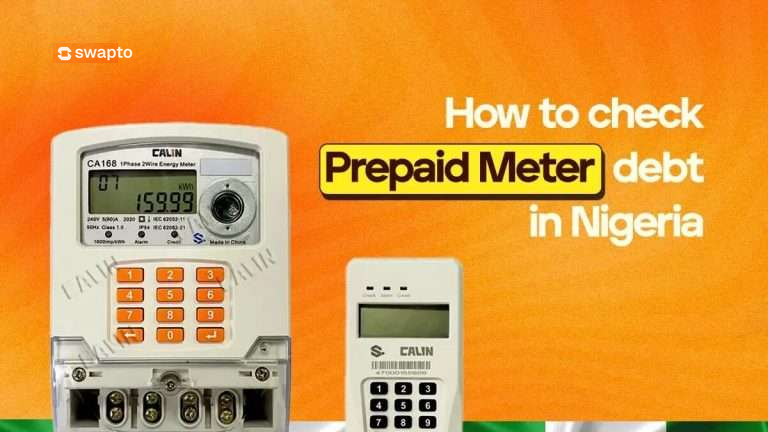
If you have ever recharged your prepaid meter and gotten fewer units than expected, this is almost always why. There is an outstanding debt sitting on your meter, and every recharge you make is silently paying it down. The good news is that you can check that debt before you recharge again, and in some cases, you can fight it.
This guide shows you four verified ways to check your prepaid meter debt in 2026, why those debts exist in the first place, how to clear them faster, and what to do if you think the debt was assigned to your meter by mistake.
What Is a Prepaid Meter and How Does Debt Get On It?
A prepaid meter (also called pay-as-you-go) is the digital electricity meter that requires you to buy units before you can use power. You pay upfront, the meter loads tokens, and you consume electricity until the units run out.
This is different from a postpaid meter, where the DISCO sends you a bill at the end of each month for what you have already used.
Prepaid meters are supposed to be the cleaner system. You only pay for what you use, no estimates, no surprises. But in practice, prepaid meters in Nigeria carry debts for four common reasons:
1. The “free” starter units that aren’t actually free. When a meter is newly installed, it comes loaded with a small amount of electricity to test the connection. These units are presented as “free” but are actually a loan from the DISCO. They get deducted from your first few recharges.
2. Inherited estimated billing from before the meter was installed. This is the most painful one. Before your prepaid meter arrived, the DISCO was charging the apartment based on estimated billing, which is often inflated and never accurate. If those estimated bills went unpaid for months, the total balance gets transferred to your shiny new prepaid meter the day it goes live. Bose’s case from the intro.
3. Penalties for meter bypass or illegal connections. If a previous tenant tampered with the meter or made an illegal connection, the DISCO sometimes adds a penalty to the meter’s debt profile. You inherit it when you move in.
4. Administrative errors or system glitches. Sometimes debts appear on meters for reasons nobody can fully explain. The DISCO’s system runs a reconciliation, an old account gets merged incorrectly, and a debt lands on your meter that has nothing to do with you. These are disputable.
The first thing to understand: outstanding debts don’t disappear when you move out. They sit on the meter itself. Whoever lives in that apartment next inherits them. This is why checking for debt before signing a new lease, and checking your own meter regularly, matters.
The 4 Verified Ways to Check Prepaid Meter Debt in Nigeria
BuyPower has a built-in feature that shows you the exact debt on a meter before you finalize a payment. It is the most reliable third-party method and works for every Nigerian DISCO.
Enter your phone number, then click “Click here to buy electricity.”
Input your state, select your DISCO (Ikeja Electric, EKEDC, IBEDC, etc.), and enter your meter number.
Type in any amount you want to “purchase” (you won’t be charged until you confirm).
On the review page, look for the “Outstanding” field.
Whatever amount appears next to “Outstanding” is the debt currently sitting on your meter. If you see ₦12,500 there, that is what you owe before you start paying for fresh electricity.
You can close the page without completing payment. The check itself is free.
Method 2: Use VTpass or Sycamore
VTpass and Sycamore work the same way as BuyPower. Both platforms show your meter’s outstanding balance before you complete a transaction.
For VTpass, you can also send your meter number directly to their support email (support@vtpass.com) or chat with them on their website, and they’ll send you a breakdown of your outstanding debt within minutes.
Sycamore goes one step further: if you have an active savings plan on the app, you earn 3 percent cashback on every electricity bill you pay. So checking your meter through Sycamore can double as a way to clear the debt while getting money back.
Method 3: Use Your DISCO’s Customer Portal
Every major Nigerian DISCO has its own portal where you can view your account history.
DISCO
Portal
Coverage Area
Ikeja Electric
ikejaelectric.com
Lagos (excluding Lagos Island, Apapa, Ajah)
EKEDC (Eko Electric)
ekedp.com
Lagos Island, Apapa, Ajah, Lekki, Ikoyi
IBEDC
ibedc.com
Oyo, Ogun, Osun, Kwara, parts of Niger, Ekiti, Kogi
AEDC
abujaelectricity.com
Abuja FCT, Kogi, Niger, Nasarawa
EEDC (Enugu)
enugudisco.com
Enugu, Abia, Anambra, Ebonyi, Imo
PHED (Port Harcourt)
phed.com.ng
Rivers, Bayelsa, Cross River, Akwa Ibom
KEDC (Kano)
kedco.ng
Kano, Jigawa, Katsina
To check debt on your DISCO’s portal:
Visit the portal and register your account using your meter number.
Once logged in, navigate to “Vend History,”“Payment History,” or “Account Statement” (the exact name varies by DISCO).
Look through your recent transactions. If a portion of past payments was used to clear a debt, you’ll see it itemized.
This method is best for understanding patterns over time. The downside is that it doesn’t always show a live, prominent “debt” field the way BuyPower does. Some DISCO portals are also slow or temperamental.
Method 4: Visit or Call Your DISCO’s Business Unit
This is the official method, and it’s the most reliable if you suspect the debt is wrong or want a formal record.
Find your local DISCO business unit (the customer service office that serves your area). Take your meter number, a valid ID, and ideally a recent recharge receipt. Ask for a debt profile printout. The staff can confirm exactly how much debt sits on your meter, when each debt was added, and what it was for.
DISCO customer service hotlines (for phone enquiries):
Ikeja Electric: 07080655555 or 01-700-9700
EKEDC: 07080655555 or 01-7000-376
IBEDC: 07001239999
AEDC: 094612000 or 07041997000
EEDC: 084-700040
PHED: 084-462044
Calling is often faster than visiting in person, especially in Lagos and Abuja where business units can have long queues.
How to Read the Debt Display on Your Meter Itself
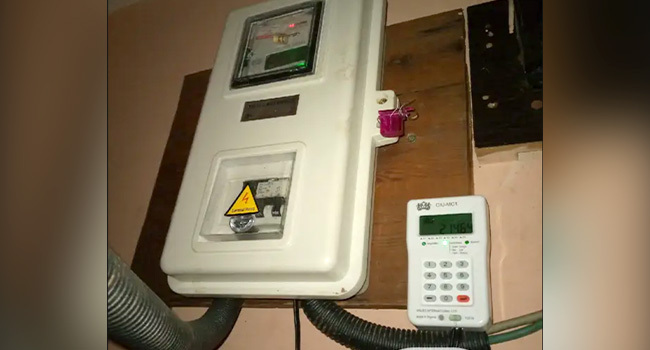
Your physical meter can also show you information about its outstanding debt, though the method depends on the meter brand. The most common ones in Nigeria are Hexing, Mojec, Conlog, Holley, and MOMAS.
For most meters, the codes work like this:
Press 07 then # (or the blue/green button): displays your remaining units balance
Press 30 then #: displays the total electricity consumed
Press 65 then #: shows the meter’s debt amount (on certain models)
Press 1 then #: shows last token loaded
The exact code varies by manufacturer. Look at the underside or back of your meter for a small label with the brand name, then search that brand’s code list online. Or check the meter’s installation pamphlet if you still have it.
If your meter is a key/card meter (less common in Nigeria but still in some older buildings), insert the key or card and the screen will display the current balance and any deductions for outstanding debt.
How to Clear Outstanding Debt on Your Prepaid Meter
Once you know the debt amount, clearing it is straightforward. There are two paths.
The Automatic Path (Most Common)
When you recharge a meter that has an outstanding debt, the DISCO automatically deducts a percentage of every token purchase to pay down the debt. The standard deduction is between 25 and 30 percent of each recharge, though some DISCOs go as high as 50 percent for larger debts.
So if you recharge ₦10,000 and your meter has ₦8,000 in outstanding debt:
About ₦2,500 to ₦3,000 goes toward clearing the debt
The remaining ₦7,000 to ₦7,500 buys you actual electricity units
This continues with every recharge until the debt is fully repaid.
The Lump-Sum Path (Faster)
If you want to clear the debt quickly, simply buy a token for the exact debt amount in one transaction. So if your outstanding debt is ₦12,000, recharge ₦12,000. The full amount goes toward clearing the debt, and your next recharge after that will give you full value in electricity.
Some Nigerians find this approach mentally cleaner because it ends the debt in one go rather than dragging it across months of partial deductions.
The Negotiated Path (For Big Debts You Inherited)
If you inherited a debt above ₦100,000 from a previous tenant, you have two formal options through your DISCO:
Readjustment: You apply to the DISCO arguing that the debt was not yours, and request they reduce or split it. This requires evidence: your move-in date, your lease, photos of the empty apartment, anything that shows you didn’t consume that electricity. Approval rates are low but not zero.
Redistribution: You agree the debt is real but request to pay it in installments rather than a lump sum. This is more commonly approved because the DISCO still gets its money, just over a longer timeline.
Both processes are slow. Expect 6 to 12 weeks minimum from application to resolution. You start them at your local DISCO business unit.
What to Do If You Think a Debt Is Wrong
Sometimes a meter is flagged with a debt that genuinely shouldn’t be there. Common scenarios:
You moved in recently and the debt predates your tenancy
You see a debt that’s far larger than your actual consumption history would suggest
A debt appeared on your meter overnight with no recharge or transaction trigger
In any of these cases, follow this process:
Document everything. Take photos of your meter display, photos of your recharge receipts, your lease agreement showing your move-in date, and any communication you have had with the DISCO.
Visit your DISCO’s business unit with all documentation. File a formal dispute. Get a complaint reference number in writing.
Follow up weekly. Disputes that don’t get followed up sit at the bottom of pile. Call your reference number weekly.
Escalate to NERC if the DISCO doesn’t respond within 30 days. The Nigerian Electricity Regulatory Commission accepts customer complaints at consumeraffairs@nerc.gov.ng or via the NERC complaint form on nerc.gov.ng.
NERC is the regulator that sits above all the DISCOs. They have the authority to force a DISCO to investigate or reverse incorrect charges. Most Nigerians don’t know this avenue exists, which is exactly why it works when you use it.
How to Avoid Inheriting Someone Else’s Meter Debt
The cheapest meter debt is the one you never inherited in the first place. Three habits that protect you:
Check the meter debt before signing any new lease. Use BuyPower or VTpass to confirm the outstanding balance on the apartment’s meter. If it’s high, negotiate with the landlord to clear it before you move in, or walk away from the property entirely. This 5-minute check has saved Nigerians hundreds of thousands of naira.
Take a photo of the meter on move-in day showing the display readings and the meter number. This establishes a baseline if disputes arise later.
Recharge regularly and keep all receipts. If you ever need to dispute a debt, your recharge history is the strongest evidence you have.
Pay Your Electricity Bills Smarter With Swapto(Formerly Dtunes)
Once you’ve checked your debt and you’re ready to recharge, where you pay matters. Swapto(Formerly Dtunes) lets you pay for your prepaid meter directly from the app, with cashback on every bill payment. No queues, no platform-switching, no hidden charges. You can also fund your bill payment using crypto if that’s how you save, sell BTC, USDT, or ETH, and the naira proceeds go straight to your electricity token.
Download the Swapto(Formerly Dtunes) app on App Store or Play Store
Frequently Asked Questions
How do I check if there is debt on my prepaid meter in Nigeria?
The fastest way is to go to www.buypower.ng, enter your meter number and your DISCO, type any amount you want to purchase, and check the “Outstanding” field on the review page before completing payment. Whatever amount appears there is the current debt on your meter. You can close the page without paying, the check is free.
Why am I getting fewer electricity units than I expected when I recharge?
The most common reason is that your meter has an outstanding debt, and the DISCO is automatically deducting 25 to 30 percent of every recharge to pay it down. Check your meter debt using BuyPower, VTpass, or your DISCO’s portal to see exactly how much is owed.
Can a prepaid meter inherit debt from a previous tenant?
Yes, this happens often in Nigeria. If the apartment had unpaid estimated bills before the meter was installed, those bills transfer to the prepaid meter on installation day. The debt sits on the meter itself, not on the person, so whoever lives in the apartment next inherits it. Always check meter debt before signing a new lease.
How long does it take to clear meter debt?
If you let the automatic deduction system handle it, clearing the debt depends on how much you owe and how often you recharge. A ₦20,000 debt at 30% deduction would take about 7 recharges of ₦10,000 each to fully clear. If you want to clear it faster, recharge the exact debt amount in one transaction.
Can I dispute a debt that was wrongly added to my meter?
Yes. Visit your DISCO’s business unit with documentation (your lease, move-in photos, recharge history) and file a formal dispute. You will receive a reference number. If the DISCO doesn’t respond within 30 days, escalate the case to the Nigerian Electricity Regulatory Commission (NERC) at consumeraffairs@nerc.gov.ng. NERC has authority over all DISCOs and can force a resolution.
Do all prepaid meters work the same way?
The check process is similar across DISCOs, but the meter brands (Hexing, Mojec, Conlog, Holley, MOMAS) have slightly different button codes for showing balance and debt information. The online methods (BuyPower, VTpass, DISCO portals) work the same regardless of meter brand.
What does “outstanding” mean on my electricity recharge page?
“Outstanding” on a recharge page shows the total debt currently owed on the meter. This includes inherited debts, deductions still being recovered from past recharges, and any administrative charges added by your DISCO. The amount shown in this field is exactly what you owe before you can buy new electricity units.
How much do DISCOs deduct from each recharge for outstanding debt?
Most Nigerian DISCOs deduct between 25 and 30 percent of each recharge to pay down outstanding debt. Some DISCOs go higher (up to 50 percent) for larger debts. The deduction continues automatically with every purchase until the debt is fully repaid.
The Bottom Line
Outstanding debts on prepaid meters are the silent reason most Nigerians feel like their electricity gets more expensive every year. Once you know the debt is there, you can deal with it: pay it down faster, dispute what isn’t yours, or avoid inheriting it in the first place by checking before you move into a new apartment.
The five-minute check before signing your next lease is the most valuable habit on this entire page. Save BuyPower or VTpass in your bookmarks, and run a meter check the moment a landlord shows you a property. It is the cheapest piece of due diligence in the whole rental process.
And when you are ready to recharge, Swapto(Formerly Dtunes) is the smarter way to pay. Especially if you are converting crypto to naira, the funds can go straight from your USDT balance to your electricity token in minutes.
Transfer Money From UBA to other banks has never been faster or easier, thanks to the rapid digital transformation in Nigeria’s banking sector.
According to data from the Nigeria Inter-Bank Settlement System (NIBSS), over 9.6 billion electronic transactions worth ₦600 trillion were processed in 2024 alone, with mobile transfers accounting for nearly 45% of all interbank payments. That means millions of Nigerians now prefer using UBA’s mobile app, **USSD (919#), and internet banking platforms to send money seamlessly across different banks without queues or paperwork.
If you’re transferring funds to GTBank, Access Bank, Zenith, or Opay, this guide will walk you through every method to transfer money from UBA to other banks, including step-by-step processes, transfer limits, fees, and the fastest options to use when you’re in a hurry.
Quick Ways to Use Codes to Transfer Money From UBA To Other Banks
You can transfer money from UBA to all banks using the following methods:
UBA USSD code
UBA Transfer code
UBA Mobile Banking App.
Each of the steps has unique advantages to them, which we will explore as we go on.
How To Transfer Money From UBA To All Banks Using UBA USSD Code
The UBA USSD code is an easy approach to send money from UBA to all banks. But, its ease can be hindered by network issues. If you have a good network, the UBA USSD code is stress-free
How to Send Money Using UBA USSD Code
Follow these simple steps to transfer money with UBA’s USSD code:
Dial *919*4*accountnumber*amount# on your mobile phone e.g *919*4*0423456021*15000#
Select the recipient’s bank from the displayed list.
Review and confirm the transaction details (make sure everything’s correct).
Enter your 4-digit PIN to authorise and complete the transfer.
You don’t need the internet. Works on any phone, anytime.
How To Transfer Money From UBA To All Banks Using UBA Transfer Code
Unlike the UBA USSD code, which allows you to transfer money alone. The UBA Transfer Code allows you to perform other functions like checking account balance and more.
The UBA USSD code is (*919#) . It works 24/7 on your phone without internet. Before you start using this code, though, you must have activated it.
How to Activate the UBA Transfer Code
To start using the UBA USSD service, follow these steps:
Dial *919# on the phone number linked to your UBA account.
Follow the on-screen prompts to begin registration.
Enter your 10-digit UBA account number when prompted.
Create a secure 4-digit PIN to authorise your transactions.
Confirm your account by entering the last 4 digits of your UBA debit card.
Once your details are verified, you’ll get a confirmation message indicating that your UBA transfer code has been successfully activated.
With your UBA transfer code activated, you can now send money, check balances, buy airtime, pay bills, and more without needing mobile data.
How To Transfer Money From UBA To Other Banks with the UBA Mobile Banking App
The UBA mobile application is the easiest way to send money from UBA to other banks with UBA. It has more functions than the UBA Transfer code and is user-friendly.
How to Transfer Money Using the UBA Mobile App (Step-by-Step)
Sending money from your UBA account to any Nigerian bank is simple with the UBA Mobile Banking App.
1. Can I reverse a UBA transfer if I send money to the wrong account?
Yes, but it’s not automatic. If you mistakenly transfer money to the wrong account, contact UBA customer care immediately through 0700 225 5822 or visit a nearby branch.
You’ll need to provide your transaction details (e.g., time, amount, recipient account). Reversal depends on whether the wrong recipient still has the funds and is willing to release them.
2. Is there a daily transfer limit on UBA USSD code?
UBA sets a daily limit of ₦100,000 for USSD transactions and ₦20,000 per transaction by default. However, you can increase this limit by visiting a UBA branch or upgrading your account via the mobile app (if eligible).
3. Why is my UBA USSD code not working even though I have airtime?
If 919# isn’t working despite having airtime, several things could be wrong:
Your SIM isn’t linked to your UBA account.
You haven’t completed USSD activation.
Restart your phone, check signal strength, or dial 919# again after a few minutes. If the issue persists, contact UBA support.
4. Is the UBA USSD code more secure than the UBA mobile app?
UBA’s USSD platform is secured with end-to-end encryption and protected by a unique 4-digit PIN. However, it has no biometric or two-factor authentication like the mobile app.
So while USSD is safe for basic transfers, the mobile app offers stronger security features (fingerprint/face ID, instant deactivation, transaction logs).
Conclusion
There are three sure ways to send money from UBA t other banks:
Litecoin to Nigerian Naira: Are you an LTC holder looking to convert your digital assets into Nigerian Naira? Look no further! With the growing popularity of cryptocurrencies in Nigeria, it has become increasingly important to find a reliable platform that allows seamless conversion of LTC to NGN at the best rate possible. In this article, we will introduce you to Swapto(Formerly Dtunes), a trusted platform that facilitates hassle-free LTC to Nigerian Naira transactions.
LTC to Naira Converter
LTC (in USD)
Rate
Amount (in Naira)
1
800
800
5
800
4000
10
800
8000
20
800
16000
50
800
40000
100
800
80000
200
820
164000
500
820
410000
1000
820
820000
How to sell Litecoin to Nigerian Naira on Swapto(Formerly Dtunes)
Swapto(Formerly Dtunes) is a leading cryptocurrency exchange platform that enables users to sell their LTC for Nigerian Naira. To begin the process, you’ll first need to sign up for an account on the Swapto(Formerly Dtunes) website or mobile app. Registration is simple, requiring only basic information such as your email address and a secure password. After your account is set up and verified, you can proceed to sell your LTC for Nigerian Naira. Here’s a step-by-step guide on how to do it:
Log into your account
Click on “Trade Crypto” on the homepage
Choose “Trade Crypto”
Choose the type of crypto you want to sell (LTC in this case) and ‘continue’
Enter the amount, and proceed to trade.
How to Withdraw Your Funds on Swapto(Formerly Dtunes)
Once your LTC has been successfully converted to Nigerian Naira and reflected in your Swapto(Formerly Dtunes) wallet, you may choose to withdraw your funds. Here’s how to withdraw your funds on Swapto(Formerly Dtunes):
Log into your account
Go to “Wallet”
Go to “Withdraw”
Choose a bank account from your saved beneficiaries or Add a new bank account
Enter the amount you want to withdraw
Click on “Withdraw”
Enter your PIN to confirm withdrawal
Congratulations! Your funds is on its way to your bank account.
How to Buy Data and Airtime with LTC on Swapto(Formerly Dtunes)
Swapto(Formerly Dtunes) goes beyond facilitating LTC to NGN conversions. The platform also allows users to conveniently purchase data and airtime for their mobile devices using LTC. This feature comes in handy, especially for cryptocurrency enthusiasts who prefer to use their digital assets for everyday expenses.
You can pay your TV and Electricity bill, and buy airtime and data, in the comfort of your house using the Swapto(Formerly Dtunes) app.
All you need to do is to sell your LTC for cash on Swapto(Formerly Dtunes) first, and then use the cash to pay your bill. It’s that simple!
Other Cryptos You Can Sell on Swapto(Formerly Dtunes) at the Best Rate
While LTC is undoubtedly popular, Swapto(Formerly Dtunes) supports a variety of other cryptocurrencies that you can also sell for Nigerian Naira at competitive rates. Some of the supported cryptocurrencies include Bitcoin (BTC), Ethereum (ETH), XRP, USDC, USDT, and many more. The platform ensures a secure and seamless transaction process for all supported digital assets, making it a versatile exchange for crypto enthusiasts in Nigeria.
Sell Gift Cards on Swapto(Formerly Dtunes) at the Best Rate Now
In addition to cryptocurrencies, Swapto(Formerly Dtunes) offers a unique service that allows users to sell gift cards at attractive rates. If you have unused gift cards from popular retailers, such as Amazon, iTunes, or Google Play, you can convert them into Nigerian Naira through Swapto(Formerly Dtunes). The platform accepts gift cards from various brands, and the process is quick and straightforward.
In conclusion, Swapto(Formerly Dtunes) provides a reliable and user-friendly platform for LTC holders in Nigeria to sell their digital assets for Nigerian Naira at the best rates available. With its additional features like buying data and airtime with LTC, support for other cryptocurrencies, and the option to sell gift cards, Swapto(Formerly Dtunes) offers a comprehensive solution for cryptocurrency users in Nigeria. Whether you’re a seasoned crypto trader or a beginner, Swapto(Formerly Dtunes) ensures a seamless experience for all your digital asset needs.
If you’re reading this, you’ve probably tried to verify Bitcoin on Cash App while trying to buy or withdraw Bitcoin on Cash App and run into that familiar message:
“Verification required to access Bitcoin features.”
Frustrating, right?
Maybe you were trying to send BTC to a cold wallet, or you just wanted to take advantage of a quick dip in price. You might have even watched the price spike and realized you couldn’t sell because verification was still pending.
You’re not alone at all.
At Swapto(Formerly Dtunes), we’re in the trenches with people who use crypto in real life. Not for hype, but for remittances, savings, flipping opportunities, or simply staying ahead in a fast-moving financial space. And if you’re in Nigeria, Ghana, Kenya, or anywhere else with growing Bitcoin adoption, the stakes are even higher when platforms make things unnecessarily complicated.
So in this guide, I’ll walk you through how to verify Bitcoin on Cash App—not just the steps, but what to expect, how to fix common issues, and how to position yourself for a smooth experience. Consider this your go-to playbook with extra insights you won’t find on generic sites.
How to Verify Bitcoin on Cash App (Simple Steps):
Download and install Cash App from Google Play or Apple Store
Sign up with your name, phone number, and email
(Optional) Link your bank account for easier transactions
Tap the “Investing” tab, then select “Bitcoin”
Tap “Verify” to start the verification process
Enter your full name, date of birth, and SSN
Upload a clear photo of your valid ID (e.g. driver’s license or passport)
Take a selfie for identity confirmation
Wait for approval (usually within minutes)
Once approved, you can buy, sell, or withdraw Bitcoin
(Optional) Turn on two-factor authentication for added security
Cash App doesn’t hate you. They’re just doing what most regulated platforms must do—follow rules tied to anti-money laundering (AML) and know-your-customer (KYC) policies.
When you verify your identity, you unlock access to all Bitcoin-related features: sending, receiving, buying, selling, and transferring BTC outside Cash App. Until then, you’re stuck at the gate with a locked wallet.
It’s also a move to protect you. Verifying gives your account a higher trust rating, reduces fraud risks, and puts you in the good books of financial regulators.
Common Reasons People Delay or Avoid Bitcoin Verification
Before we get into the steps, let’s call out a few common roadblocks:
Fear of surveillance: Some users worry about sharing personal info like a driver’s license or passport.
Bad past experiences: Maybe another app took days—or weeks—to approve you.
Not sure what’s needed: A lot of folks don’t know that blurry selfies or expired IDs cause rejections.
Whatever your reason, this article will help you verify confidently, avoid mistakes, and get your Bitcoin flowing.
Quick Checklist to Verify Bitcoin On Cash App
To verify Bitcoin on Cash App, here’s what you’ll need:
A clear selfie for ID confirmation
A Cash App account with a working phone number and email
A valid ID (like a driver’s license or passport)
You must be 18 or older
Pro Tip: Don’t use scanned copies. Use the original ID and your smartphone camera for best results.
How to Verify Bitcoin on Cash App
Let’s break it down in real terms—not tech jargon.
Step 1: Update or Download Cash App
Make sure you’re using the latest version of Cash App. Update it from your app store or download it if you’re new. Old versions may not support Bitcoin verification properly.
Step 2: Create or Log In to Your Account
Sign up with your email and phone number. You’ll get verification codes for both—don’t skip them. Cash App won’t proceed without confirming your identity basics first.
Step 3: Navigate to the Bitcoin Section
Tap the Investing icon at the bottom
Choose Bitcoin
Hit the “Enable Withdrawals and Deposits” prompt
This is where the magic starts.
Step 4: Start the Verification Process
Cash App will now ask for:
Your full legal name
Date of birth
SSN (for Americans)
A government-issued ID photo
A live selfie
Pro Tip: Take your selfie in the same lighting and outfit as your ID photo. Cash App uses automated facial recognition to match your selfie with your ID.
How Long Does It Take to Verify Bitcoin on Cash App?
Once you’ve submitted your ID and selfie, Cash App will start reviewing your information. For most users, verification is fairly quick — but a few things can affect the timing.
What to Expect:
Most verifications are completed within 24 to 48 hours
Some users get verified in just a few hours if everything is clear
In some cases (like unclear photos or high traffic), it might take up to 72 hours
What Can Delay the Process?
A blurry selfie or poorly taken ID photo
Mismatched details between your ID and what you entered
Verifying during busy periods like weekends or market surges
A manual review triggered by an issue in your submission
Pro Tips to Get Verified Faster:
Take your photos in good natural lighting
Double-check that your info matches your ID exactly
Don’t use screenshots, edits, or cropped versions of your documents
Try submitting your verification during weekdays when volume is lower
If your verification is still pending after 48 hours, you can contact Cash App support directly through the app for help.
Can I Verify Bitcoin on Cash App Without an ID?
Short answer? No, not if you want full access.
Cash App requires a valid government-issued ID to unlock Bitcoin features like sending, withdrawing, or increasing your buy limits. This is part of their compliance with U.S. regulations around cryptocurrency—specifically anti-money laundering (AML) and know-your-customer (KYC) laws.
Some people online might say you can bypass this by linking your debit card or bank account. That might get you into the app, but it won’t unlock Bitcoin features. You’ll still get hit with a message asking for ID when you try to send or withdraw BTC.
What You Can Do Without ID
View Bitcoin prices
Possibly buy small amounts under very tight limits
Track BTC performance inside the app
But you can’t:
Withdraw BTC to another wallet
Sell BTC
Send BTC to another user
Increase your Bitcoin limits
What If You’re Not in the U.S.?
Cash App’s Bitcoin features are officially supported in the U.S. only. So if you’re in Lagos or Nairobi and using a U.S. Cash App account via VPN or a U.S. number, proceed with caution. You must have valid U.S.-based identity documents for this to work.
Using a friend’s details? Don’t. It might work temporarily, but it can get flagged and frozen later.
How to Troubleshoot Common Problems
1. Why is my cash app bitcoin verification taking so long?
This usually means one of three things:
Your ID photo wasn’t clear enough
Your selfie didn’t match your ID
There’s a high volume of verifications
Fix it: Re-upload clearer images and be patient. If you wait over 48 hours, contact Cash App support via the app or support.cash.app.
2. “Verification Denied” Error
This happens when:
Your info doesn’t match public records
You’re underage
You uploaded edited or filtered images
Fix it: Re-enter correct info. Use a different government-issued ID if your first one was rejected.
Pro Tips for Fast Approval
Use natural daylight for selfies and ID photos
Don’t crop or edit your ID images
Use a U.S. number and SSN (if required)
Ensure your address matches records if asked
What Can You Do After Verification?
Once verified, here’s what’s unlocked:
Feature
Access
Buy Bitcoin
✅
Sell Bitcoin
✅
Send BTC to external wallet
✅
Receive BTC from another wallet
✅
Increase BTC purchase limit
✅
Limits vary but usually increase to $100,000+ weekly depending on usage and history.
Final Thoughts
Bitcoin is no longer fringe. It’s part of how people build wealth, store value, and make transactions across borders. If you’re serious about using Cash App for BTC—whether to invest, send money to family, or just stay liquid—you’ll need to verify your account.
Do it now, do it right, and do it once. That way, the next time Bitcoin spikes and you’re ready to sell or withdraw, you’re not stuck waiting for an approval email.
The Nigerian government mandates linking NIN to SIM cards to enhance national security, prevent fraud, and ensure everyone has a verifiable identity. For Airtel users, linking your NIN is a quick and straightforward process that ensures your line stays active and fully functional. If you fail to complete this, your line could be blocked or suspended.
This article provides a step-by-step guide on all methods to link your NIN to your Airtel number.
What Is the NIN Code for Airtel?
The main USSD code for linking NIN to Airtel is *785#. Alternatively, you can use *121*1# to access Airtel’s NIN registration menu.
These codes are the fastest way to connect your NIN with your Airtel line without visiting an Airtel store.
How to Link Your NIN to Airtel
Here are the steps to link your NIN to your Airtel line:
Dial *121*1# on your Airtel phone.
Enter your 11-digit NIN when asked.
You’ll see a message: “Thank you for entering your NIN.”
Choose to link another Airtel number or end the process.
Wait for a confirmation SMS once your NIN is validated.
That’s it! Congratulaations!
Methods to link NIN to Airtel line
How to link your NIN to your Airtel line:
Now, let’s look into the step-by-step process of linking your NIN to your Airtel line. There are three methods you can choose from: the online method, the USSD method, and the Airtel customer care method. Choose the method that suits you best.
Step-by-Step Guide: How to Link NIN to Airtel Line Using USSD
Follow these steps:
Dial *785# on the Airtel line you want to link.
When prompted, enter your 11-digit NIN.
Confirm the entry by following the on-screen prompts.
You’ll receive a confirmation message: “Thank you for submitting your NIN. Please wait for verification.”
Once verified, your line will be successfully linked to your NIN.
How to Link Your NIN to Airtel Online
If you prefer the convenience of online registration, here’s how to do it:
Linking your NIN to your Airtel line is a simple yet important process that ensures compliance with the Nigerian government’s regulations. Here at Swapto(Formerly Dtunes), we make sure you do not run out of data at any time. You can recharge data with your gift card on the Swapto(Formerly Dtunes) app for iPhone and Android. Click here to learn more on the Swapto(Formerly Dtunes) website.
By following the step-by-step guide provided in this blog post, you can easily link your NIN to your Airtel line using the online method, USSD method, or by contacting Airtel customer care. Remember, it is crucial to complete this process to avoid any inconvenience or potential suspension of your phone number. Stay connected and stay compliant!
We hope this blog post has helped guide you to link NIN to Airtel line. If you have any further questions or need additional assistance, feel free to reach out to Airtel customer care or visit their official website for more information. Stay tuned for more informative blog posts from us!
Disclaimer:
The information provided in this blog post is based on the latest available information at the time of writing. Please note that procedures and requirements may vary, so it is always advisable to refer to official sources or contact Airtel directly for the most accurate and up-to-date information.
$600 Bitcoin to Naira: The world of cryptocurrencies has been marked by volatility, innovation, and a constant quest for value. Bitcoin, the pioneer of cryptocurrencies, has garnered significant attention and adoption globally.
With Bitcoin continuing to gain traction in Nigeria, many people are asking: “How much is $600 worth of Bitcoin in Naira today?”
Whether you’re looking to invest, trade, or cash out, knowing the real-time BTC to NGN value is essential. In this article, we’ll break down how much $600 in Bitcoin (BTC) is worth in Naira (NGN) based on current exchange rates — and show you how to calculate it yourself anytime.
As its value fluctuates against various fiat currencies, it’s crucial to understand its worth in different contexts.
BTC/NGN: How much is $600 Bitcoin to Naira?
$600 bitcoin to naira is currently worth N928,400. You can use the Swapto(Formerly Dtunes) app to always check the updated rates of bitcoin to naira. The Swapto(Formerly Dtunes) app is available on the Play Store and App Store.
Bitcoin, often abbreviated as BTC, operates in a decentralized manner, transcending geographical boundaries and traditional banking systems. This characteristic makes it appealing for individuals seeking financial autonomy and investment opportunities. Nigeria, a country with a growing interest in cryptocurrencies, particularly Bitcoin, has witnessed a surge in Bitcoin trading and adoption. Consequently, understanding the value of $600 Bitcoin in Naira becomes crucial for investors, traders, and enthusiasts alike.
The exchange rate for Bitcoin to Nigerian Naira fluctuates due to market dynamics, demand-supply forces, regulatory changes, and global economic factors. It’s imperative for individuals intending to convert $600 worth of Bitcoin to Naira to consult reliable cryptocurrency exchanges or financial platforms for real-time rates. These platforms offer transparency and convenience, enabling users to make informed decisions regarding their investments and transactions.
However, it’s crucial to note that the exchange rate may vary significantly depending on market conditions. Therefore, individuals should monitor the rate closely to optimize their conversions and mitigate potential losses or gains.
However, there are platforms that allow you to check the real time rates of cryptocurrencies like Bitcoin.
How to Check BTC/NGN Rate
To check the BTC/NGN rate, you can visit the Swapto(Formerly Dtunes) website or app. They provide real-time rates for various cryptocurrencies, including Bitcoin.
Here’s how to check BTC/NGN rate on the Swapto(Formerly Dtunes) app:
Log in to your account
Click “Rate Calculator” on the home page
Navigate to the crypto section
Select your coin (BTC in this case)
Enter amount in USD
The current rate and total are shown and you can see what you’ll be getting in Naira.
However, it is important to keep in mind that the exchange rate can fluctuate, and the actual value may vary.
Factors Influencing the Value Several factors influence the value of Bitcoin against the Nigerian Naira, including:
Global Market Trends: Bitcoin’s value often correlates with global market trends, investor sentiment, and macroeconomic indicators. Positive developments, such as institutional adoption or regulatory clarity, can drive up the price of Bitcoin, leading to an increase in its value against the Naira.
Local Demand and Adoption: Nigeria has emerged as one of the leading markets for Bitcoin adoption in Africa. Factors such as increasing internet penetration, youth population, and a growing interest in alternative investments contribute to the demand for Bitcoin within the country. Higher demand typically leads to an appreciation in Bitcoin’s value against the Naira.
Regulatory Environment: Regulatory changes and government policies can impact the value of Bitcoin in Nigeria. Positive regulations that support cryptocurrency adoption and innovation often result in a more favorable environment for Bitcoin investors, leading to an increase in its value. Conversely, regulatory uncertainty or restrictive measures may hinder Bitcoin’s growth and affect its valuation against the Naira.
Technological Advancements: Technological advancements in blockchain technology, scalability solutions, and security protocols can influence Bitcoin’s utility and attractiveness as a store of value or medium of exchange. Improvements in the Bitcoin network’s infrastructure and ecosystem may enhance investor confidence and contribute to the appreciation of its value against the Naira.
Economic Indicators: Economic indicators such as inflation rates, currency devaluation, and geopolitical tensions can impact the value of fiat currencies like the Nigerian Naira. Bitcoin, often touted as a hedge against inflation and economic instability, may experience increased demand during times of uncertainty, leading to a rise in its value relative to the Naira.
Conclusion
The valuation of $600 worth of Bitcoin to Nigerian Naira reflects the dynamic nature of cryptocurrencies and their interaction with local and global economic forces. As Bitcoin continues to gain traction as a viable asset class and means of exchange, understanding its value in different fiat currencies becomes paramount for investors and users. By considering factors such as exchange rates, market trends, regulatory developments, and technological advancements, individuals can navigate the cryptocurrency landscape effectively and make informed decisions regarding their financial assets.
In summary, while the specific value of $600 Bitcoin to Naira may vary over time, staying informed and vigilant enables individuals to harness the potential of cryptocurrencies for financial empowerment and wealth creation in Nigeria and beyond.
$200 Bitcoin to Naira: If you’re looking for how much $200 Bitcoin to Naira is, then keep reading, because this post is for you.
Currently, the price of $200 Bitcoin to Naira is between N300,000 to N400,000 based on the prevailing exchange rate. We will explain why in a couple of minutes, but first, let’s understand the role of Bitcoin in the cryptocurrency world.
The world of cryptocurrency has experienced significant growth and recognition in recent years, with Bitcoin leading the pack as the pioneer and most widely recognized digital currency. As more people embrace the potential of Bitcoin, questions arise about its value in different fiat currencies. For those in Nigeria, understanding the conversion rate of Bitcoin to Naira is crucial. In this article, we delve into the specific question: “BTC/NGN: How much is $200 Bitcoin to Naira?”
Understanding Bitcoin and Naira: Before we delve into the conversion rate, it’s essential to have a basic understanding of Bitcoin and Naira. Bitcoin, often abbreviated as BTC, is a decentralized digital currency that operates on a blockchain, ensuring secure and transparent transactions. On the other hand, the Naira is the official currency of Nigeria, and its value is subject to various economic factors such as inflation.
BTC/NGN: Current Exchange Rate:
As the cryptocurrency market is highly volatile, exchange rates can fluctuate rapidly. Therefore, it’s crucial to check real-time rates for accurate conversions. At the time of writing, the exchange rate for Bitcoin to Naira is influenced by market demand, global economic conditions, and local factors in Nigeria’s cryptocurrency ecosystem.
$200 Bitcoin to Naira
$200 worth of bitcoin is currently about N307,000 on bitcoin trading apps like Swapto(Formerly Dtunes). It is calculated by multiplying $200 by N1536.12 which is the current exchange rate on Swapto(Formerly Dtunes) app.
Factors Affecting Bitcoin to Naira Exchange Rates:
Several factors contribute to the fluctuation of Bitcoin to Naira exchange rates. Understanding these factors can provide insights into the dynamics of the cryptocurrency market and help predict potential changes in rates. Some key factors include:
Market Demand and Supply: The basic economic principle of demand and supply plays a significant role in determining exchange rates. If the demand for Bitcoin increases relative to its supply, the value against the Naira may rise.
Global Economic Conditions: Bitcoin is influenced by global economic trends, geopolitical events, and market sentiment. Economic instability or uncertainties can impact the cryptocurrency market, affecting exchange rates.
Regulatory Environment: Government regulations and policies regarding cryptocurrency in Nigeria can have a direct impact on Bitcoin’s value against the Naira. Positive regulatory developments may lead to increased adoption and, consequently, a higher exchange rate.
Technological Developments: Advancements in blockchain technology and improvements in the functionality of Bitcoin may influence its perceived value, affecting exchange rates.
Conclusion: In conclusion, the question of “BTC/NGN: How much is $200 Bitcoin to Naira?” requires a dynamic understanding of the cryptocurrency market. As of the current landscape, it’s advised to use reliable exchange platforms to obtain real-time rates for accurate calculations. The value of Bitcoin to Naira is influenced by a myriad of factors, making it an exciting yet unpredictable market. As the cryptocurrency ecosystem continues to evolve, staying informed about market trends and factors affecting exchange rates is crucial for anyone involved in Bitcoin transactions in Nigeria.
Free Bitcoin Transaction Accelerators: In the ever-evolving landscape of cryptocurrency, Bitcoin transactions have become a vital part of the digital economy. However, the scalability of the Bitcoin network sometimes leads to congestion, resulting in delayed transactions. To expedite the confirmation process, users often turn to Bitcoin transaction accelerators. In this article, we will explore the top 5 free Bitcoin transaction accelerators that users can leverage to enhance the speed of their transactions.
What is a Bitcoin Transaction Accelerator?
Before diving into the top accelerators, let’s understand what a Bitcoin transaction accelerator is. A transaction accelerator is a service that expedites the confirmation of Bitcoin transactions by prioritizing them in the network’s queue. It works by resubmitting the transaction to the network, increasing the chances of miners including it in the next block.
5 Free Bitcoin Transaction Accelerators to Use
1. BTC.com Transaction Accelerator: Boosting Speed with Reliability
BTC.com, one of the leading Bitcoin wallets and mining pools, offers a reliable and free transaction accelerator service. Users can simply visit the BTC.com website, enter their transaction ID and the provided security code, and click on the “Accelerate” button. The service boasts a high success rate, making it a popular choice for users seeking a quick and efficient acceleration of their Bitcoin transactions.
2. ViaBTC Transaction Accelerator: Miners’ Choice for Speed
ViaBTC, a prominent cryptocurrency mining pool, provides a free Bitcoin transaction accelerator service. Users can access this service on the ViaBTC website, where they need to submit their transaction ID and complete a captcha for verification. ViaBTC prioritizes transactions for its mining pool, increasing the likelihood of swift confirmation. This accelerator is known for its effectiveness, especially during periods of network congestion.
3. ConfirmTX: Community-Powered Acceleration
ConfirmTX stands out as a community-driven Bitcoin transaction accelerator. It operates on a simple principle – users can submit their transaction details on the ConfirmTX website, and the community helps accelerate the process by upvoting transactions. The more upvotes a transaction receives, the higher its priority for acceleration. ConfirmTX is an excellent option for those who appreciate a decentralized and community-driven approach to expediting Bitcoin transactions.
4. Bitcoin Afterburner: Acceleration with a Personal Touch
Bitcoin Afterburner is a user-friendly and free Bitcoin transaction accelerator that comes in the form of a software tool. Developed by the team at Samourai Wallet, Bitcoin Afterburner allows users to bump their transaction fees, increasing the likelihood of prompt confirmation. The tool can be downloaded and installed, providing users with a more hands-on approach to accelerating their Bitcoin transactions. Bitcoin Afterburner is particularly beneficial for users who prefer a personal touch in managing the acceleration process.
5. Antpool Transaction Accelerator: Empowering Users with Speed
Antpool, another major player in the cryptocurrency mining industry, offers a free Bitcoin transaction acceleration service. Users can access the Antpool Transaction Accelerator on their website and submit their transaction details, including the transaction ID and a captcha for verification. As part of the Antpool mining pool, this accelerator prioritizes submitted transactions, increasing the chances of rapid confirmation. Antpool Transaction Accelerator is a reliable option for users seeking a free and effective solution to accelerate their Bitcoin transactions in times of network congestion.
Conclusion
In the fast-paced world of cryptocurrencies, the need for efficient and prompt transactions is paramount. Bitcoin transaction accelerators play a crucial role in addressing the challenges posed by network congestion. The top 5 free accelerators mentioned – BTC.com, ViaBTC, ConfirmTX, and Bitcoin Afterburner – offer users diverse options, whether they prefer a miner-centric approach, community-driven solutions, or a more hands-on tool. By leveraging these accelerators, users can enhance the speed and efficiency of their Bitcoin transactions, ensuring a seamless experience in the digital economy.