Category: Blog

  • Solved “google redeem code is not working” 

    Solved “google redeem code is not working” 

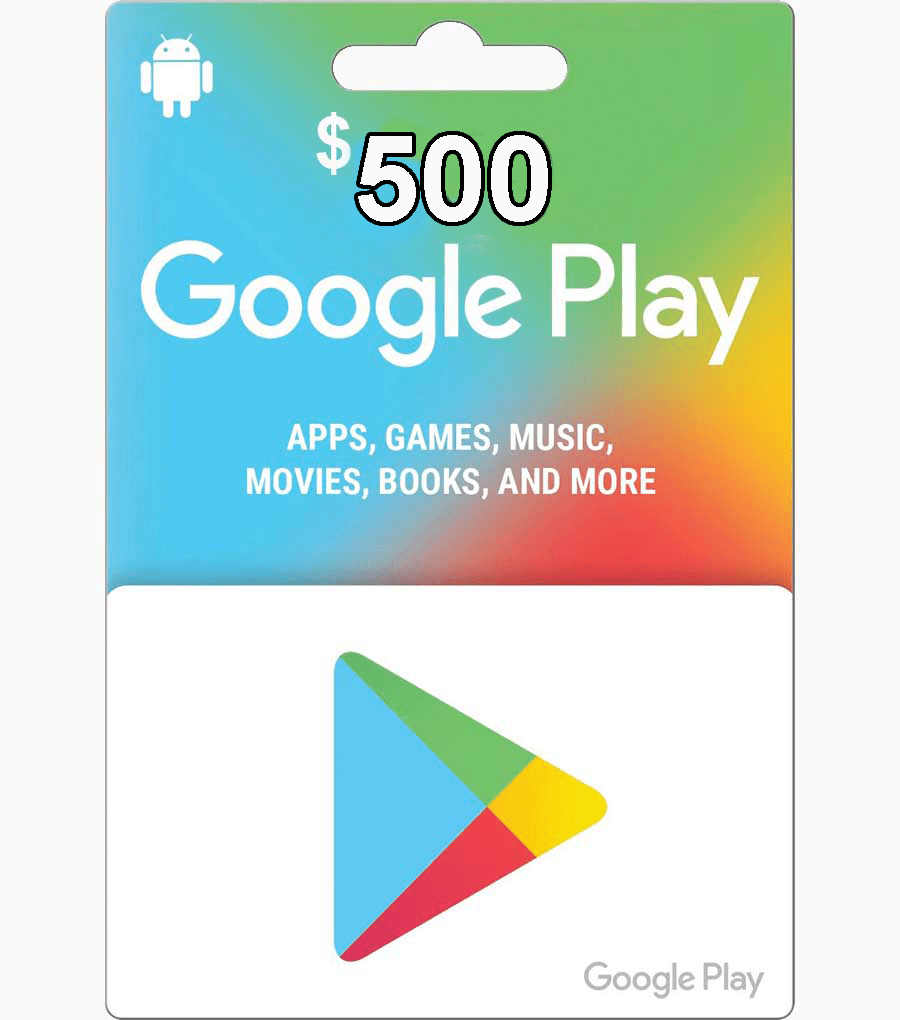
    google redeem code is not working: The Google Play Gift Card is one of the most in-demand items in the gift card industry. With this gift card, you can buy products from the Google play store.

    Some of which may include books, apps, music, etc. The Google play gift card feeds off the popularity of the play store, which is accessible on all Android devices, making them a force to reckon with among other digital assets.

    However, even though the google play gift card is known to be one of the best among others, customers are likely to experience error messages from time to time. In this piece, you will learn about one of the common error messages and their variants and how you can solve them.

    google redeem code is not working
    google redeem code is not working

    What is the meaning of this error message

    If you’re about to trade your google gift card and you get the error message “google redeem code is not working” or other similar messages, do not fret. It might mean that your gift card is not working and needs to be fully activated.

    Therefore, we advise you to return to the store and request an activation. On the other hand, we can give some tips on how to resolve these error messages. Importantly, your asset balance will remain the same irrespective of the error message you get. When the error has been fixed, your funds will be readily available to use.

    How to solve the error message “google redeem code is not working”

    When it comes to solving the error message “google redeem code is not working”, there are some suggestions by google that you can explore to get your google gift card working again.

    Solution to Code invalid or input wrong

    This error message is synonymous with “google redeem code is not working”, and if you frequently get this, the first step is to scan your gift card. Next, launch the Google Play app on your Android device, and click the profile icon located at the top right. Next, click on Payments & Subscriptions, then tap Redeem gift card.

    If you’re unable to scan your gift card, enter the code manually. It is important to enter the code correctly and avoid using dashes or spaces. Also, check if the correct letters were entered.

    If this hack does not work, then your gift card might not have been activated. When gift cards are purchased at physical stores, the seller needs to activate them. It is impossible for Google to activate the gift cards for the seller.

    Therefore, contact the company or the seller who sold the card and request for its activation. If they confirm that the card has been activated, but you still get an error message, reach out to Google Play Help for more assistance.

    How to Sell Gift Cards on Swapto(Formerly Dtunes) app

    One of the easiest ways to sell your giftcards and get paid instantly is by using the Swapto(Formerly Dtunes) app. It is interesting to note that all transactions are seamless and fast, which allows customers to save more time.

    To sell your gift cards on the Swapto(Formerly Dtunes) app, use these steps to get started

    • Download and install the Swapto(Formerly Dtunes) app on your Android or iPhone device. You can get the app on both Google Playstore and App store.
    • Create an account and log in with your details.
    • Add your bank account details so that you can withdraw your money after exchanging your gift cards
    • Create a transaction pin to approve every transaction.

    Conclusion

    With the insightful tips mentioned in this article, we believe you know the ideal step to take if you get error messages like “google redeem code is not working”. Many people who have gotten such error messages have resolved their cases after using the above steps or by contacting Google Play help.

    In addition to Google Play gift cards, you can sell other gift cards on Swapto(Formerly Dtunes) and get paid instantly at juicy rates. Download the Swapto(Formerly Dtunes) app on Google Playstore or App store to get started.

  • Most trusted platform to sell crypto for cash in Nigeria

    Most trusted platform to sell crypto for cash in Nigeria

    sell crypto for cash in Nigeria: When it comes to the digital assets industry, many customers are keen on trading with platforms that will not break your trust. This is why some of them are usually sceptical when they want to sell crypto for cash in Nigeria with companies that they don’t know about.

    Hence, this makes it vital to do your research before using any platform to trade your crypto for cash.

    Sell crypto for cash in Nigeria 

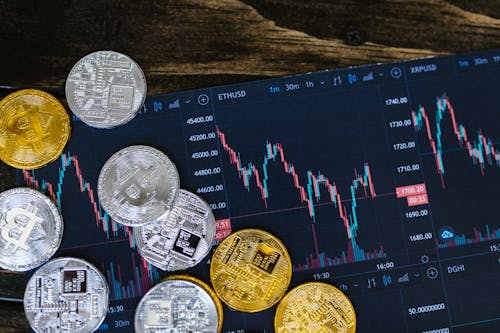
    Free Close-Up Shot of Silver and Gold Round Coins Stock Photo

    Swapto(Formerly Dtunes): The Best Platform to sell crypto for cash in Nigeria

    Swapto(Formerly Dtunes) is one of the most trusted platforms to sell crypto in Nigeria and get paid instantly. To get started on Swapto(Formerly Dtunes), download the mobile app on Google Playstore and Appstore to create an account. When you sign up on Swapto(Formerly Dtunes), it is important to tender your important and valid information to grant you seamless access anytime you need to sell your crypto.

    Why the Swapto(Formerly Dtunes) app is the most trusted platform to sell crypto

    Swapto(Formerly Dtunes) has some interesting features that set it apart from other brands. Trading your digital assets with Swapto(Formerly Dtunes) comes with an unparalleled quality that other companies lack.

    Check out some of these features below

    Efficient customer support

    Not all customers are the same when it comes to being tech-savvy, this is why our support team is always available to answer questions or complaints that may arise.

    Swapto(Formerly Dtunes)’ customer support is always available throughout the day, so if you need help at some point, you can contact them and expect a swift response.

    Ease of use

    Another feature that customers will enjoy on Swapto(Formerly Dtunes) when they want to sell crypto for cash in Nigeria is the ease of use. You will notice this from the point where you create your account on Swapto(Formerly Dtunes), as the whole process can be completed quickly.

    A good look at Swapto(Formerly Dtunes) mobile app suggests that the app was built to make it easy for anyone to navigate and conduct multiple trades in a short time. Each registered user has a personalized dashboard that contains their information.

    Top-notch security

    Unlike other platforms where hackers can tamper with your account, the case is different with Swapto(Formerly Dtunes). As a registered customer on Swapto(Formerly Dtunes), you can be sure that no one can access your account unless you permit them to. Your financial data or information is one of the most valued resources on Swapto(Formerly Dtunes), and there are tight security measures to prevent anyone from using them.

    You can sell crypto to pay bills

    When you sell crypto on Swapto(Formerly Dtunes), you can use the funds to pay any bill. Swapto(Formerly Dtunes) is the most trusted platform to sell crypto and is also an all-inclusive app to perform transactions like Bill payments, Airtime recharge, Cable TV top-ups, etc without using other apps.

    How to sell crypto for cash in Nigeria with Swapto(Formerly Dtunes)

    • Visit Google Playstore or App store to download the Swapto(Formerly Dtunes) app
    • Create your account by submitting important details like your username, phone number, email, and a strong password.
    • Set up your wallet, and add your bank account details.
    • When you convert crypto to fiat cash, your wallet receives them, and you can either send them to your bank or use it to perform another transaction on Swapto(Formerly Dtunes).

    When you need to perform subsequent transactions on Swapto(Formerly Dtunes), all you need do is input your login details and sell your crypto at good rates.